Launch Offer
50% OFF Annual Plans

Text to Video AI

Turn a written scene into a short AI video. Describe the subject, action and camera, choose a format, then preview and download your clip.

No photo8 seconds16:9 or 9:16
Cases

Three scenes, each one shot

Each setup is a separate prompt: its own subject, its own action, and its own frame. Use this setting copies that prompt into the console only when the box is empty, and it sets the frame. It does not generate.

Case 01

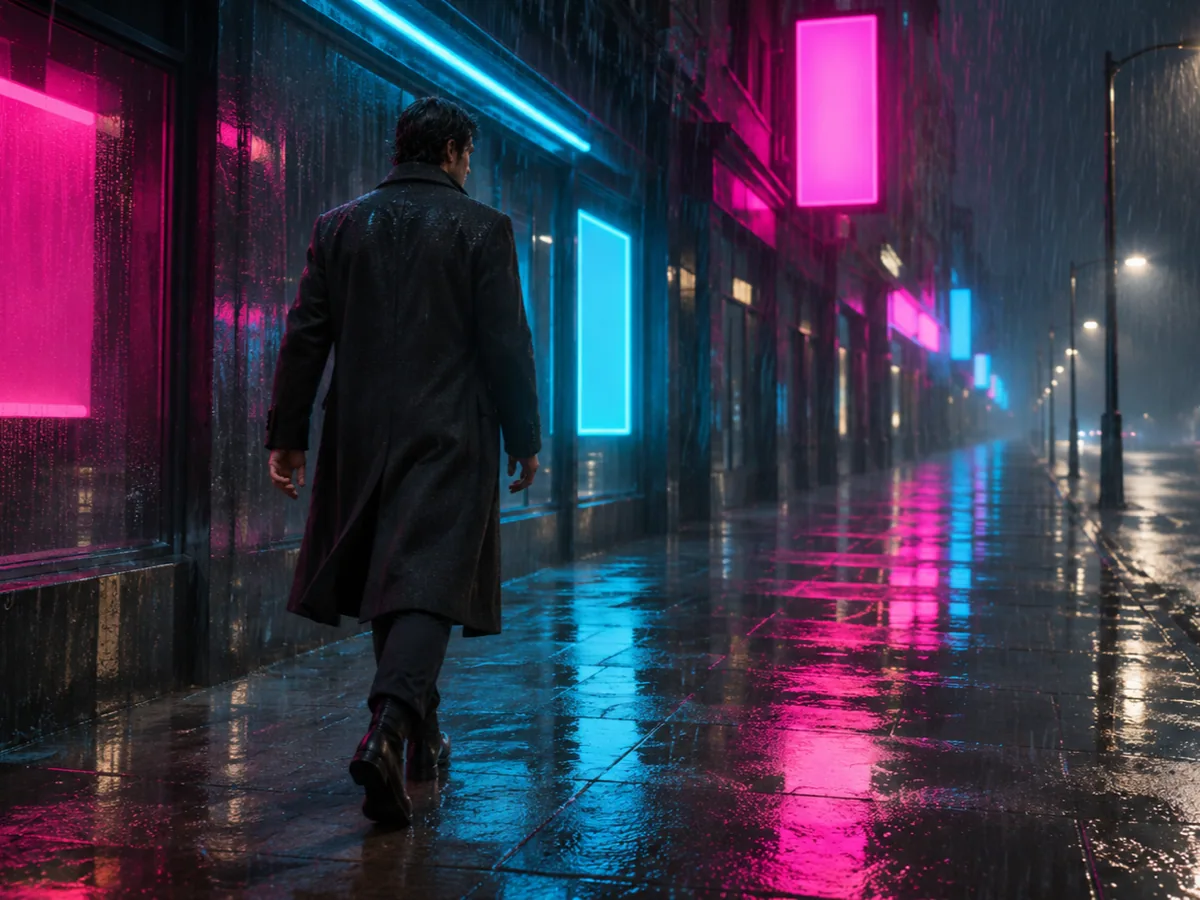
Rainy neon street, one tracking shot

A person walks slowly through rain and neon. The camera tracks with them. One action, one move, wide frame. Check that the walk continues and the person stays the same person.

16:98sTracking shotVeo 3.1 Fast
Prompt
A person in a dark coat walks slowly down a rainy neon street. One tracking shot. Wet pavement, signs reflecting in the water.
Prompt
Scene ConceptA person in a dark coat walking a rainy neon street at night
16:9 · 8s · tracking shot
Case 02

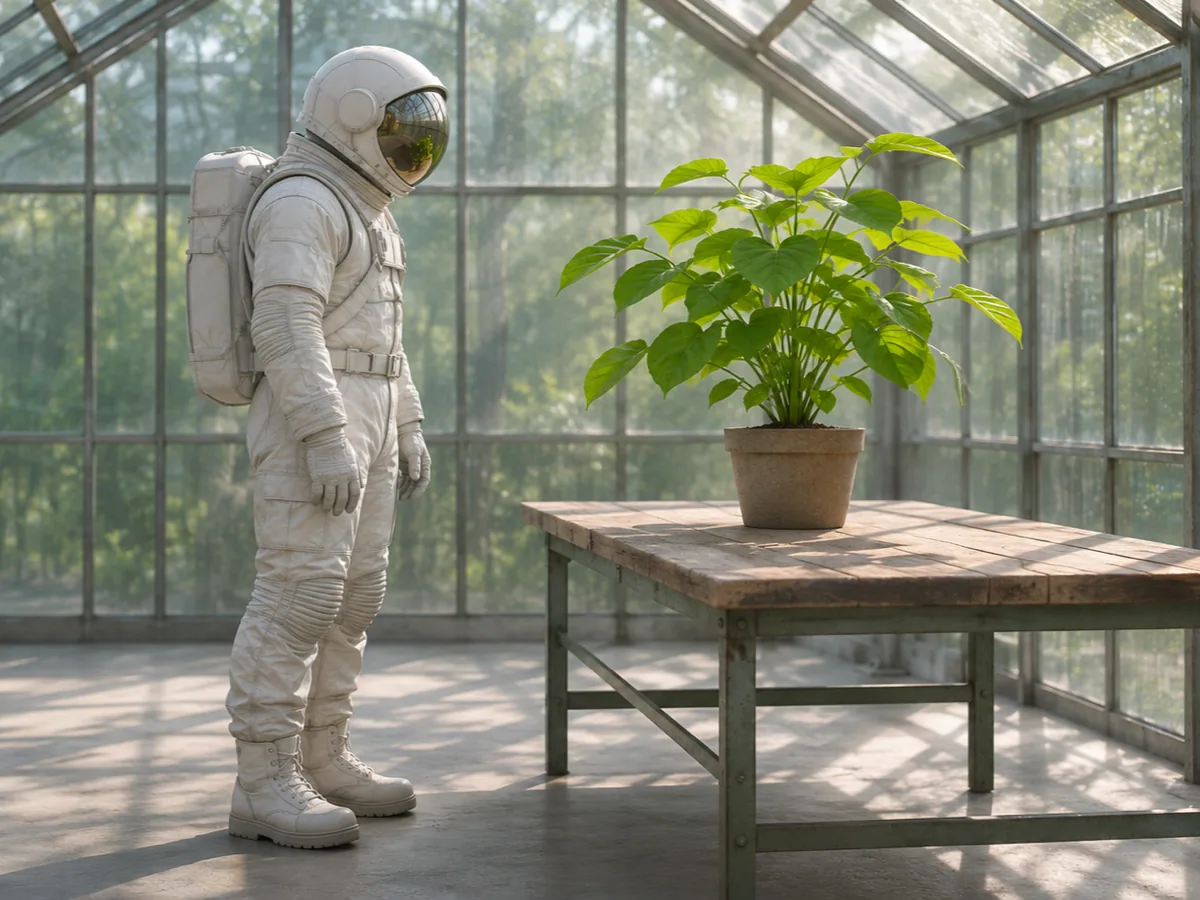
Astronaut in a greenhouse, camera locked

The astronaut watches one plant. The camera does not travel. Soft daylight through the glass. Check that the suit and the plant stay in the same places while the look happens.

16:98sLocked cameraVeo 3.1 Fast
Prompt
An astronaut stands in a greenhouse and watches one plant. Locked camera. Soft daylight through the glass.
Prompt
Scene ConceptAn astronaut standing beside a leafy plant inside a sunlit greenhouse
16:9 · 8s · locked camera
Case 03

Clay fox, one wave in warm light

A small clay fox raises one paw. Warm lamp light, vertical frame. The wave is the only action. The clay body should stay one fox from the first moment to the last.

9:168sWarm light, fox stays in frameVeo 3.1 Fast
Prompt
A small clay fox raises one paw in a wave. Warm lamp light. The fox stays in frame.
Prompt
Scene ConceptA small clay fox raising one paw in warm lamp light
9:16 · 8s · one wave
Definition

What is text-to-video AI?

Text to video AI turns a written scene into one short clip. You do not upload a photo. You describe the subject, one action, and the camera, choose a wide or vertical frame, then preview and download the video.

That fits B-roll, a concept you have not photographed, and a story beat you want to see before a shoot. It is one shot of about eight seconds. It is not a long script, a shot list that edits itself, a voice track, or burned-in captions.

The words decide who is in the frame and what they do. If a real face, a signed packshot, or a place you already filmed has to remain that file, start from the picture instead. Text invents the subject. A photo keeps one.

Steps

How do I write a prompt that becomes a useful clip?

Write one shot, pick the frame, generate, then watch whether the action finishes. The console on this page is where that happens. Nothing here sends you away to finish the download.

  1. STEP 01

    Write the subject, one action, one camera move, and the light. Leave the upload off. This page does not take a picture.

  2. STEP 02

    If the sentence stacks a run, a jump, and a wave, delete two of them. Keep the action you need to see completed.

  3. STEP 03

    Choose 16:9 or 9:16. The length stays at 8 seconds on Veo 3.1 Fast. The Generate button shows the credit cost before a job starts.

  4. STEP 04

    Watch the clip here. Check the subject at the start, the middle, and the end, and check that the main action happens.

  5. STEP 05

    Download the MP4 from this page. If you refresh, open My Creations and download the same task.

How to keep a prompt to one shot

A useful line reads like a single camera setup. Who is there, what they do once, how the camera behaves, and what the light is doing. Use this setting, under each case, fills that line only when the box is empty, and it also sets the frame. It does not generate.

Changing the words or the frame does not spend credits and does not remove the last download. The next Generate is a new job.

Compare

Text to video vs a photo, a packshot, or several references

Use this page when the scene exists as words and you do not have a file to protect. The other starts win when a photograph, a product, or a set of references already decides what the subject looks like.

This page

Text to video

You have a scene and no photograph. One sentence names the subject, one action, and one camera. Happy Horse 2 makes an 8 second clip on Veo 3.1 Fast, in 16:9 or 9:16, and the preview and the download stay here.

Home studio

A photo you already shot

The person, the room, or the product is already in a still. Motion should inherit that frame. Text will invent a lookalike instead of keeping the file you approved.

Animate a photo
Product video

A product packshot

A bottle, shoe, or tin has a label and a shape that should survive the shot. Start from the packshot. A written product is a new product.

Move a product photo
Reference to video

Several reference images

The subject, the clothing, and the place live in different pictures. Text cannot point at those files. Reference to video can.

Guide a subject with references
Review

What to check before you generate again

Play the whole eight seconds. The subject should still be the subject at the end, and the action you asked for should occur. A walk that becomes a run, a second person stepping in, or a plant that turns into a different object means the sentence was doing too much work.

Shorten the prompt to one action and one camera move, then generate again. That click is a new charge. Switching the frame before you click does not start the job. A written scene can still change small details from one render to the next. Watch the opening, the middle, and the end before you download.

  • The subject named in the prompt is still there at the end of the clip.
  • The main action happens once, instead of a chain of unrelated moves.
  • The camera does the one move you wrote, or stays locked when you asked it to stay locked.
FAQ

Text to video questions

The prompt, the frame, a crowded sentence, and where the download goes.

Need more help?
Credits are shown on Generate before a job starts. View pricing

No. This page has no upload. You write the scene, and the clip is built from those words. If the subject already exists in a photograph, use the home studio or the product video page instead. A picture on this page is rejected before a job starts.

Name the subject, one action, one camera move, and the light. A person walking, a tracking shot, and wet neon is enough. The box has to contain words, and the finished prompt has to stay within 5,000 characters. Empty text is stopped before you are charged.

Cut it down to one shot. Keep the subject and the action you most need to see finished. A run, a jump, and a wave in the same sentence asks for three clips. Play the opening, the middle, and the end, and check that the subject is still the same and the main action happens. Words guide the shot. They do not lock every frame.

The player on this page previews the MP4, and the download control saves it. Refreshing the page does not rebuild that player from this browser. Open My Creations and download the same task there. Opening that task does not create a second charge.

No. Switching 16:9 and 9:16, or editing the prompt, updates the next job only. The previous download stays. Generate stays disabled while a request is in progress. Clicking Generate again is a new charge. A failed job follows the credit refund already used on Happy Horse 2.

Get started

Write one shot and download the clip here

Describe the subject, one action, and the camera. Pick a wide or vertical frame, then review the 8 second video on this page.