A photo and a sentence like "make this viral" are not a brief. The photo already contains a person, a pet or a car. The sentence contains a wish. Between them sits the actual job: put that subject inside a format people already recognise, at phone size, with the sound that makes the format recognisable, while the format is still being remade.
That job is what the five phrases in the search bar are circling. They are easy to treat as five products. They are three decisions wearing five names. This guide separates the decisions, then walks through one browser product that has already made them for a short list of live formats. The product is PoseLoop. The pages below were read on November 19, 2026. Prices, lengths and the list of trends move. The shape of the job does not.
PoseLoop is an independent site. It is not TikTok, not the artists whose songs the trends restage, and not this publication. Happy Horse 2 publishes the guide. A credit balance here does not spend there.
Five phrases, three decisions
Image to Video AI is the technical name. A still image is the evidence. A model then predicts the frames that follow, anchored to that still. The subject, the light and the framing arrive as facts. Motion is the guess. Anything that asks the model to invent a new face, a new room and a new joke at the same time has left this job and entered text-to-video.
Photo to Video AI is the same job described from the file you already have. PoseLoop's own FAQ treats the two phrases as one action: a still becomes a short clip. The useful difference is expectation. "Photo to video" usually means a portrait, a pet or a product shot the person is unwilling to replace. The likeness is the point. A beautiful stranger is a failed render.
AI Viral Video Generator names the outcome people hope for, and it is the phrase that causes the most mismatched checkouts. A generator can produce a clip in a familiar format. It cannot produce an audience. The format is a rap booth, a desk concert, a cashier who will not hang up, a car leaving a ramp. Viewers already know the setup and are waiting for the new face. That recognition is the entire head start. Views after that depend on who posts it, when, and to whom.
AI Video Trend Generator names the catalog, not the render. Someone has watched a format climb and turned it into a maker: a fixed number of photos, a fixed length, a fixed sound policy, a price on the button. The generator's value is timing. A format has a short window. A prompt box you have to art-direct from scratch usually opens after that window has started to close.
AI TikTok Video Generator names the container. TikTok, Reels and Shorts are watched upright. A 16:9 clip cropped down the middle after the render loses the composition that made the photo worth using. The container is 9:16 from the first frame, short enough to loop, and carrying the audio people use to recognise the format. A tool that exports a silent widescreen file has solved a different problem.
Pick the decision in that order. Likeness first, because the photo is the only part that is yours. Format second, because the format is why a stranger stops. Container third, because a good likeness in the wrong shape never reaches the feed it was made for.
What you are actually downloading
The file these trend makers return is a vertical MP4. On the trends live in November 2026, length runs from about five seconds to twenty-five. Resolution on the detailed trend pages is 480p, with 720p offered where the page lists it. The clip lands in an account library called My creations. It is private until a share link is turned on. Photos are used to make that clip.
Two properties matter more than the resolution, and both are easy to miss on a card that shows a preview.
The scene belongs to the trend. Your face, your pet or your car is cast into a room, a booth, a shop counter or a ramp that the template already has. Clothes can sometimes be nudged — the Tiny Desk page has an outfit note — and the performance stays where the template put it. A request for a different joke, a different city or a different song has nowhere to go. There is no prompt on a trend. That absence is the product.
The sound is a separate step from the picture. Some trends lay a known track or a known dialogue under the picture and refund the render if that audio cannot be attached. Others attach it when they can and will still hand you the picture if they cannot. The car trends carry the sound effects of the video model. Treating "with sound" as one switch is how a silent file becomes a surprise.
A still of the final pose is a different product. Several sites in this category render one frame and describe it with the word video. A frame does not carry the audio, and it does not read as the trend once it is posted. If the deliverable is a downloadable MP4 with a duration, you are in the right aisle.
The nine trends that were live
On November 19, 2026 the trends page listed nine makers, marked as updated that month, all framed 9:16. The live list is the page that will have changed by the time a format peaks. The table below is the list as it stood, because the differences inside it are the actual buying decision: who can star, how many photos, how long, how the sound is handled, and where the price starts.
| Trend | Who can star | Photos | Length | Sound | From |
|---|---|---|---|---|---|
| Tiny Desk AI | People | 1–5 | 14s | Trend sound, refunded if it cannot be added | 140 credits |
| On The Radar AI | People, pets | 2 | 14s | Trend sound, refunded if it cannot be added | 140 credits |
| Chat GTT AI | People, pets | 1 | 25s | Trend sound, refunded if it cannot be added | 250 credits |
| Popstar AI | People | 1 | 5–12s | Trend sound, added when it can be | 50 credits |
| Bulin 47 AI | People | 1 | 5–15s | Trend sound, added when it can be | 50 credits |
| Burning Bridges AI | People | 1 | 5–15s | Trend sound, added when it can be | 50 credits |
| Tesla Roadster AI | Cars | 1 | 12s | Sound effects from the video model | 120 credits |
| Make My Car Fly AI | People and a car | 2 | 10s | Sound effects from the video model | 100 credits |
| Flying Roadster AI | People, cars | 1 or 2 | 10s | Sound effects from the video model | 100 credits |
"From" is the cheapest option that trend was offering. The button shows the price for the length and resolution you have selected, and nothing is charged before you press it. A render that fails returns the credits on its own.
Read down the photo column before the price column. Tiny Desk takes one to five people and will let one person play every part. On The Radar wants two photos, and either side can be a pet. Chat GTT wants one face, human or animal, and runs long enough to hold a dialogue. The three car rows want the whole vehicle in frame. Make My Car Fly wants a person as well. Flying Roadster offers seven scenes and, on one of them, a part for a second person. Uploading a portrait to a car row, or a group photo to a slot that expects one face, is the failure the page is written to prevent.
The catalog is also grouped by the job, which is a more useful sort than "newest." Music and rap trends restage a performance: Tiny Desk, On The Radar, Popstar, Bulin 47, Burning Bridges. Friend trends are the ones that give each photo a part. Pet trends, on that date, were On The Radar and Chat GTT. Car trends were the ramp, the booster takeoff and the seven flying scenes. Older formats — dances, hugs, holiday scenes, a talking portrait — sit in a separate effect library of 18, which is where a format goes once it is no longer the thing climbing.
How a trend render is put together
A trend page hides the prompt and shows the photos. The pipeline behind at least two of those pages is still visible, and it explains the failures better than a loading spinner does.
Tiny Desk, last updated on its page November 5, 2026, lists the order as your photos, then GPT Image 2, then Seedance 2.5, then the clip. Chat GTT lists your photos, then Gemini Flash, then GPT Image 2, then Seedance 2.5. The homepage's wider set — Seedance 2.5, Seedance 2.0, Seedance 2.0 Mini, GPT Image 2, Gemini Flash, Veo 3.1 and Kling — is the bench the site draws from. Individual trends publish the steps they actually run. Assume the two that print an order, and treat the others as fixed recipes whose order you do not get to edit.
The split inside that order is the useful part. An image model casts your photo into the stills of the scene: the desk, the laugh, the sax; the counter, the phone, the card terminal. A video model then moves those stills. Audio is applied after, under its own rule. You are not uploading a photo into a single "animate" button that understands the meme. You are supplying identity to a recipe that already contains the shot list.
That is why the photo's job is so narrow, and why a blurry photo cannot be saved by a better model later in the chain. The image step has to know which face, which animal, which car. If two people share a frame, the cast is ambiguous and the later video step will commit to an answer. If the car is cut off at the bumper, the video step invents the rest of the bumper for every frame of the jump. If the face is in deep shadow, every shot in the sequence inherits the guess.
It is also why these clips hold together better than a one-line prompt of the same idea. The room, the cut points and the length are already decided. The model is not being asked to invent a concert and a person. It is being asked to keep a person inside a concert that already exists as a template. Identity still drifts — hands, a sax, a jawline in a close laugh are the usual places — but the drift has a smaller space to wander in.
The same architecture explains the wait. The pages describe a few minutes, and they tell you the page can be left. The finished file waits in My creations. Replay and download are not a second render.
How to make the clip
Start from the format, not from a mood
Open the trend while you can still find the original on the feed. Each card leads to a page with an example, the photo count and a price. Watch the example with the sound on. You are checking two things: that you still recognise the format, and that you have the photos it names. A trend you have to explain to the viewer is already late, or it is the wrong trend.
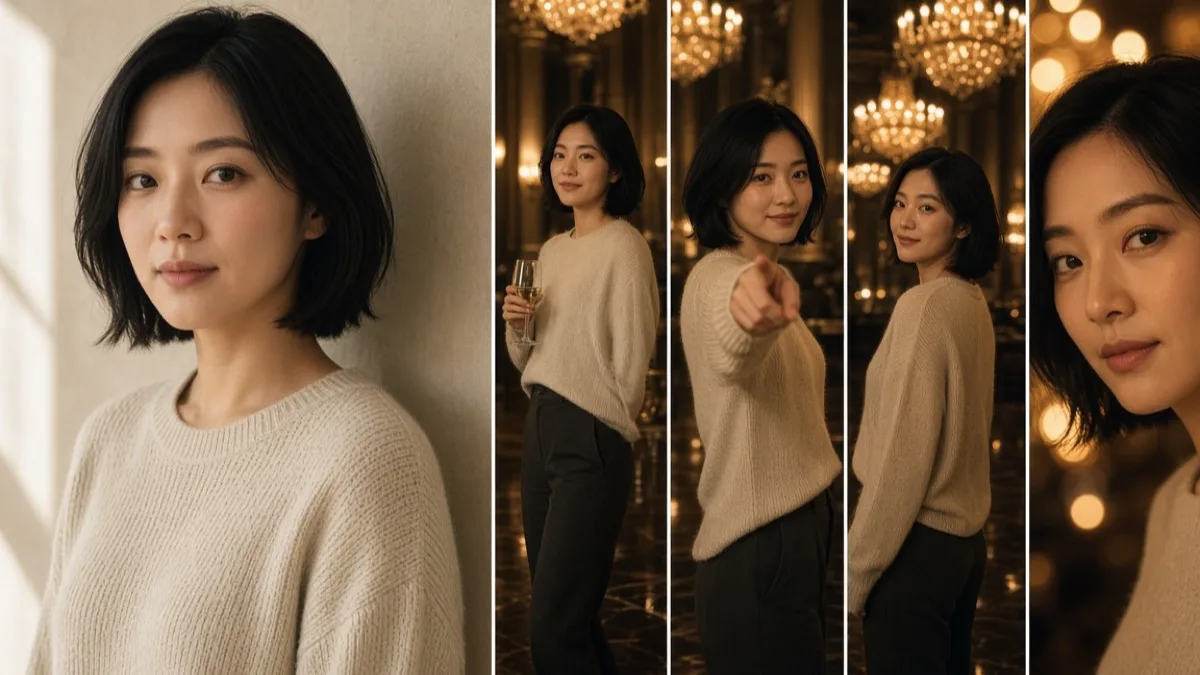
The cheapest people-trends on that November list started at 50 credits: Popstar (a mansion walk, lip-synced, 5–12 seconds), Bulin 47 (a red-lit freestyle, or the World Cup version of it, 5–15 seconds) and Burning Bridges (the guest the camera follows through a chandelier party, 5–15 seconds). One photo each. They are the sane first render if you have never put your face through this pipeline. Fifty credits is enough to learn whether your photo survives. It is not enough to learn whether a five-person desk concert survives, because that is a different cast.
One photo, one role
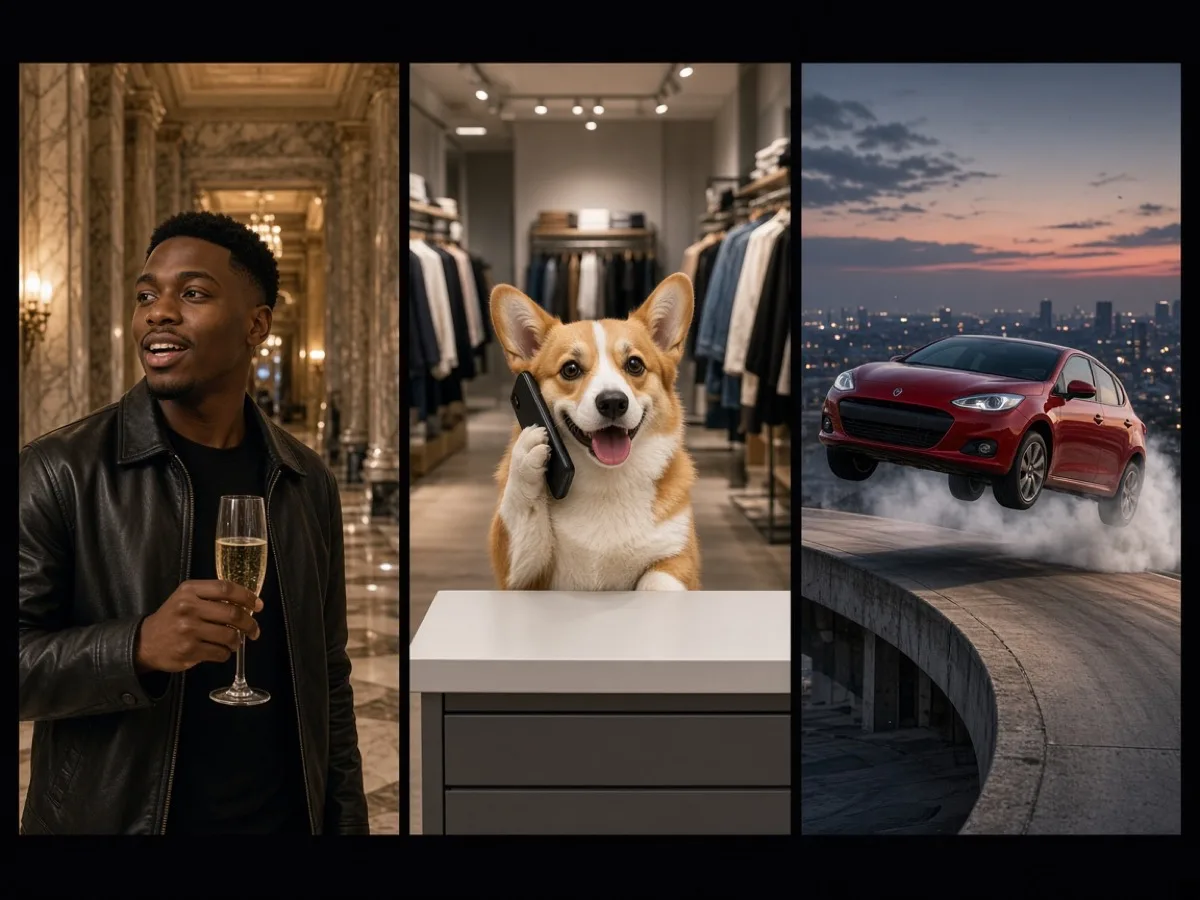
Chat GTT is the clearest one-photo case, and it is also the expensive one, so it is a bad place to discover that your snapshot is too dark. The page, updated November 5, 2026, turns one photo into a 25-second 480p clip from 250 credits. You, or your dog or cat, stand behind a streetwear-store till. The original dialogue plays: the cashier, on a call, keeps saying the card declined until the person filming loses patience. The site traces that clip to a TikTok posted by @hangtimeindytv on July 26, 2026, and it says plainly that it is not affiliated with the people in the clip or the store.
The steps on the page are short because the recipe is fixed.
- Add one photo. One subject, face visible, front-facing, sharp.
- Choose who is behind the counter. If the photo is an animal, the animal takes the till either way.
- Generate. The pipeline fits the subject into the scene, renders the 25 seconds from the trend's motion, and lays the dialogue under it. If the dialogue cannot be added, the render is refunded rather than delivered silent.
Twenty-five seconds is a long time for an identity to hold. Ears, a paw on a phone, the edge of a jaw against the till: watch those, not the racks of clothes. The clothes are the template. Your subject is the only new information, and it is the only part a viewer will judge.
Several photos, one band
Tiny Desk is the group case, and the photo count is the creative decision. One to five photos become a 14-second desk concert: a singer at the mic, two backing parts, a laughing close-up, a sax solo in front of the shelves. The page prices 480p at 140 credits and 720p at 310. The sound is Outstanding by The Gap Band, and a render that cannot carry it is refunded. The site states that it is not part of NPR or Tiny Desk, and that the clip is an AI recast.
The cast rules are specific enough to plan before anyone sends a photo.
- Five photos, one per part. This is the version where the laugh and the sax can be different people from the singer.
- Four, three or two photos, and the empty parts are played by someone already added, with a preference for a face that is not already in that shot.
- One photo, and that person plays the whole band. The page allows it. It also makes the joke smaller, because the joke is the handoff between faces.
Put the most expressive friend on the laugh. Put a plain top on everyone if you leave the outfit box empty; logos and team shirts are dropped. One outfit description dresses the whole band and leaves the room, the camera and the performance alone. A group selfie in a single slot does not cast five people. It gives the model a crowd and asks it to guess a lead.
On The Radar is the two-photo sibling: a 14-second booth duet from 140 credits, people or pets, sound refunded if it cannot be added. The page describes two friends, or you and a dog, trading a verse side by side. Two clear photos, one subject each. The duet fails in a predictable way when one of the photos is both of you.
A car, filmed from a photo of the whole car
Tesla Roadster takes one photo of the car, 12 seconds, from 120 credits: up a ramp, a flip, a landing in smoke. Make My Car Fly takes two photos — you, and the car — 10 seconds, from 100 credits: you walk to it and four boosters lift it. Flying Roadster takes one or two photos, 10 seconds, from 100 credits, and asks you to pick among seven scenes, from traffic to a tunnel wall. One of those scenes has a part for a second person.
The car photo wants every corner and every wheel. A crop at the bumper becomes a bumper the model has to invent for the whole stunt. Night flash and a crowded garage make the outline ambiguous. The portrait, on the trends that ask for one, wants a single face in daylight, without sunglasses. These clips carry model sound effects. They do not promise a chart song, and the table does not put them in the "refunded if the trend sound cannot be added" group.
The photo is the only input you control
The trends page sorts source frames into two piles, and the piles are blunt because the pipeline is blunt.
A frame that works shows one person, sharp and well lit, or a pet with its face clearly visible, or the whole car. A frame that fails is too dark to read, soft, or shared by two subjects. Slots on the dance-style effects add a crop instruction — full body, waist up — which is worth reading before you shoot, because a head-and-shoulders photo cannot grow a pair of legs that match the outfit.
A few habits follow from the way the cast step works.
Shoot in even light. A face split by a window and a dark room becomes two faces over the length of the clip. Skip the filter you liked on the still. The image step will treat the filter as part of the person, and the video step will try to keep it. Take the pet from the front, whole head in frame, not from above at arm's length. Take the car in open space, in daylight, with nothing else touching the bodywork.
Use a photo you have permission to use. The maker asks for that confirmation before it starts. A friend who is going to appear in a laugh close-up needs to have agreed to appear. Your own face, your own pet and your own car are the cases where that conversation is already done.
Resolution is not a substitute for a clean outline. A large, soft file and a small, sharp file do not pose the same problem. The cast step needs edges: the jaw, the ear, the wheel arch, the collar. Detail that was never in the photo will be invented, and invented detail is where likeness goes.
What the credits buy
New accounts start with 15 credits, good for 90 days. The trends page says that balance is enough to look around and to try an image. It is not enough for a trend clip. The cheapest trend on the November list started at 50 credits. Tiny Desk at 480p was 140. Chat GTT was 250. Fifteen credits cannot cross any of those buttons.
The pricing page, read the same day, sold three one-time packs. Credits in a pack do not expire.
| Pack | Price | Credits | What that covers, at the November starting prices |
|---|---|---|---|
| Starter | $9.99 | 200 | One 50-credit clip and one Tiny Desk at 480p (140), with 10 left. Or four of the 50-credit trends. |
| Plus | $24.99 | 600 | One Chat GTT (250) and one Tiny Desk at 720p (310), with 40 left. |
| Max | $59.99 | 1,600 | A week of posting across several trends, including a miss that you re-run. |
Those rows are arithmetic on published starting prices, not a bundle the site sells. The button price moves with length and resolution. A 720p Tiny Desk at 310 credits does not fit in the Starter pack beside anything else. A failed render puts the credits back, which is why a pack sized for one attempt is a pack sized for a perfect photo.
The same page offers monthly and yearly plans beside the packs. Yearly was marked 40 percent off. Pack credits stay until you spend them. Plan credits belong to the billing period and are drawn first, because they expire first. A pack suits a weekend and a few friends. A plan suits a posting rhythm. The page also notes that images made with the free credits carry a small watermark, and that paid credits download those images clean. That sentence is about images. Trend pages describe the video as an MP4 in your library.
The open generator is cheaper per experiment and easier to waste. Its lowest listed start, on November 19, was 10 credits for Seedance 2.0 Mini. A 30-second Seedance 2.5 clip started at 71. Testing a sentence at the short, cheap setting, then repeating the winner longer, is the order that keeps the pack intact. Rendering the long, sharp version of a prompt you have not seen move yet is how a 200-credit pack becomes two attempts.
Three sound policies, and why they change the post
Sound is why a trend is recognisable with the picture muted, which is inconvenient, because plenty of people watch that way and then tap the audio. The November table splits the nine trends into three policies. Posting strategy follows the policy.
Refunded if the sound cannot be added. Tiny Desk, On The Radar and Chat GTT. You either get the clip with the track or the dialogue, or you get the credits back. You do not get a silent surprise. These are the formats where the audio is the format. A silent desk concert is a different video.
Added when it can be. Popstar, Bulin 47 and Burning Bridges. The picture can arrive without the track. Play the file before you post it. A silent mansion walk can still be usable if you attach a sound inside the platform. A silent file you thought contained the verse is a file you should not discover after it is up.
Sound effects from the video model. The three car trends. You get the ramp, the boosters, the tunnel, with whatever the model generated around them. There is no chart song to fail. If you want the clip on a specific TikTok sound, you add that sound in the platform and accept that the model's effects may need to come out.
A track baked into the MP4 will play. On TikTok, a format often spreads because people post onto one shared sound, and viewers who tap that sound find the next version. A file that already contains the music can end up on its own audio page, separate from the page everyone else is browsing. If the platform has the same recording as a reusable sound, attaching the clip to that sound is how the format's audience can reach it. The baked-in track is still the right way to judge the edit. It is a weaker way to join the trend's pile.
PoseLoop says the trends are named after clips and songs people know, and that it is not affiliated with those artists, shows or brands. The Tiny Desk page calls the result an AI-made parody. Whether you post a recast of a copyrighted performance is a decision the tool does not make for you. The platforms have their own rules for music and for realistic AI. Use the label they provide for AI-generated content. A clip that pretends to be a real performance of a real person who never agreed to it is outside what these pages are selling, and outside what you should publish.
When the trend is the wrong tool
A trend is the right tool when you have seen the format and you want your face, your pet or your car inside it. It is the wrong tool when the idea has no format yet. A product pour, a slow push across a room you photographed, a 16:9 shot for a site hero, a scene that does not exist on any card: those belong to the prompt.
PoseLoop's AI video generator is that second door. Text to video invents the subject from a sentence. Frames to video keeps a photo you upload — JPG, PNG or WebP — and asks you only for the motion. Some models also take a last frame, so the clip travels from one still to another. The form only offers the lengths, shapes and resolutions that the selected model can make.
The comparison published on that page, same day:
| Model | Length | Up to | Shapes include | From |
|---|---|---|---|---|
| MiniMax H3 | 4–15s | 2K | 16:9, 9:16, 1:1 and wider ratios | 21 credits |
| Seedance 2.0 Mini | 4–15s | 720p | 16:9, 9:16, 1:1 and wider ratios | 10 credits |
| Veo 3.1 Fast | 8s | 4K | 16:9, 9:16 | 19 credits |
| Wan 2.6 | 5, 10 or 15s | 1080p | 16:9, 9:16, 1:1 | 44 credits |
| Kling 2.6 | 5 or 10s | 1080p | 16:9, 9:16, 1:1 | 35 credits |
| Seedance 2.5 | 4–30s | 1080p | 16:9, 9:16, 1:1 and wider ratios | 71 credits |
Every model on the list was described as supporting generated audio. Kling's page note is the one to read twice: turning sound on doubles its starting price. Veo 3.1 Fast is the 4K option, locked at 8 seconds. Seedance 2.5 is the long option, up to 30 seconds, and the expensive start. Seedance 2.0 Mini is the draft. MiniMax H3 is the one listed for a 2K master at a length you choose between 4 and 15 seconds. Wan holds 1080p out to 15 seconds and does not take a last frame. Kling is 1080p only, 5 or 10 seconds, and also has no last frame.
For a phone post, choose 9:16 before you generate. The model composes for the frame. Cropping a 16:9 render afterward is how a raised hand leaves the shot. 1:1 is the feed square. 16:9 is a site or a YouTube frame. Five of the six models offer the square. All six offer both widescreen and vertical.
The prompt, once you are in this door, has four jobs and no room for a fifth. Name the subject. Name one action. Name the camera move. Name the light. "A dog at the beach" asks the model to invent the dog, the beach, the hour and the lens. "A golden retriever runs along wet sand at sunset, ears up, tracking shot from the dog's height, warm low light" gives it a shot. The same discipline applies to a photo you upload: the picture already contains the subject, so the sentence should contain the change. A longer version of that motion-brief habit is in how to keep an image-to-video clip faithful to the photo.
There is a third shelf if you want a sentence and do not want to invent one. The site lists 500 creator video prompts with example clips, and 280 image prompts with the picture each one made. They are starting points for the open generator. They are not trends. A prompt can be rewritten. A trend cannot, which is the reason to choose it.
What to watch before you post
Play the file once for the sound and once for the subject. Mute it the second time. Most bad renders are almost right, and the failure is local.
On a person, watch the jaw across cuts, the hands, and any object the template puts in them: a glass, a sax, a microphone, a phone. A hand that was fine in the source photo can pick up a finger when the pose changes, because the pose was never in your photo. On a pet, watch the ears, the eyes and the mouth, especially if the template puts a phone or a till in front of the face. On a car, watch the wheels, the lamps and the badge through the jump. A wheel that changes spoke count halfway through the ramp is the shot to redo.
Change one thing on the redo. A darker photo, a second person in the frame, or a cropped bumper will fail again at a higher resolution. 720p makes a good photo clearer. It does not make an ambiguous photo specific. Spend the cheap duration or the 480p option on the question "is this the right face," and spend the sharper option on the file you intend to post.
Then post while the format is still being remade. The trends page is explicit that no tool can promise the clip will travel, and that timing matters more than a perfect edit delivered after the format has peaked. A 9:16 MP4 with the sound handled, from a photo of someone who agreed to be in it, labelled as AI, is the file these pages are built to hand you. The audience is the part you already had, or did not.
Keep the attempts. My creations holds them, private by default. The version that looked wrong on a laptop often reads clearly at phone size, and the version with the cleanest laugh is not always the version with the cleanest sax. Fourteen seconds is short enough to watch twice and long enough to contain one shot you should cut by choosing a different take, not by opening an editor and hoping the identity survives a trim.
What this kind of generator will not do
It will not make an unknown format famous. An AI viral video generator reproduces a format that is already legible. The new information is the face, the pet or the car. If the format needs a paragraph of explanation, the render cannot supply the paragraph.
It will not let you redirect a trend. The camera, the room and the joke are the template. The open generator is where a different camera move belongs, and it will not reproduce Tiny Desk's cut list just because the prompt says "Tiny Desk."
It will not spend credits you bought somewhere else, and it will not finish a trend on the 15 credits a new account is given. The price is on the button before the render, the failed render returns what it reserved, and the pack you need is the one that covers a second take.
It will not outrun a bad photo. Image to video AI, photo to video AI, and the trend makers built on top of them all inherit the frame you give them. Sharp, single-subject, well lit, permission already granted: that is the whole craft on the input side. The craft on the output side is choosing a format that is still climbing, checking the sound policy before you pay, and posting the file in the shape the feed already uses.