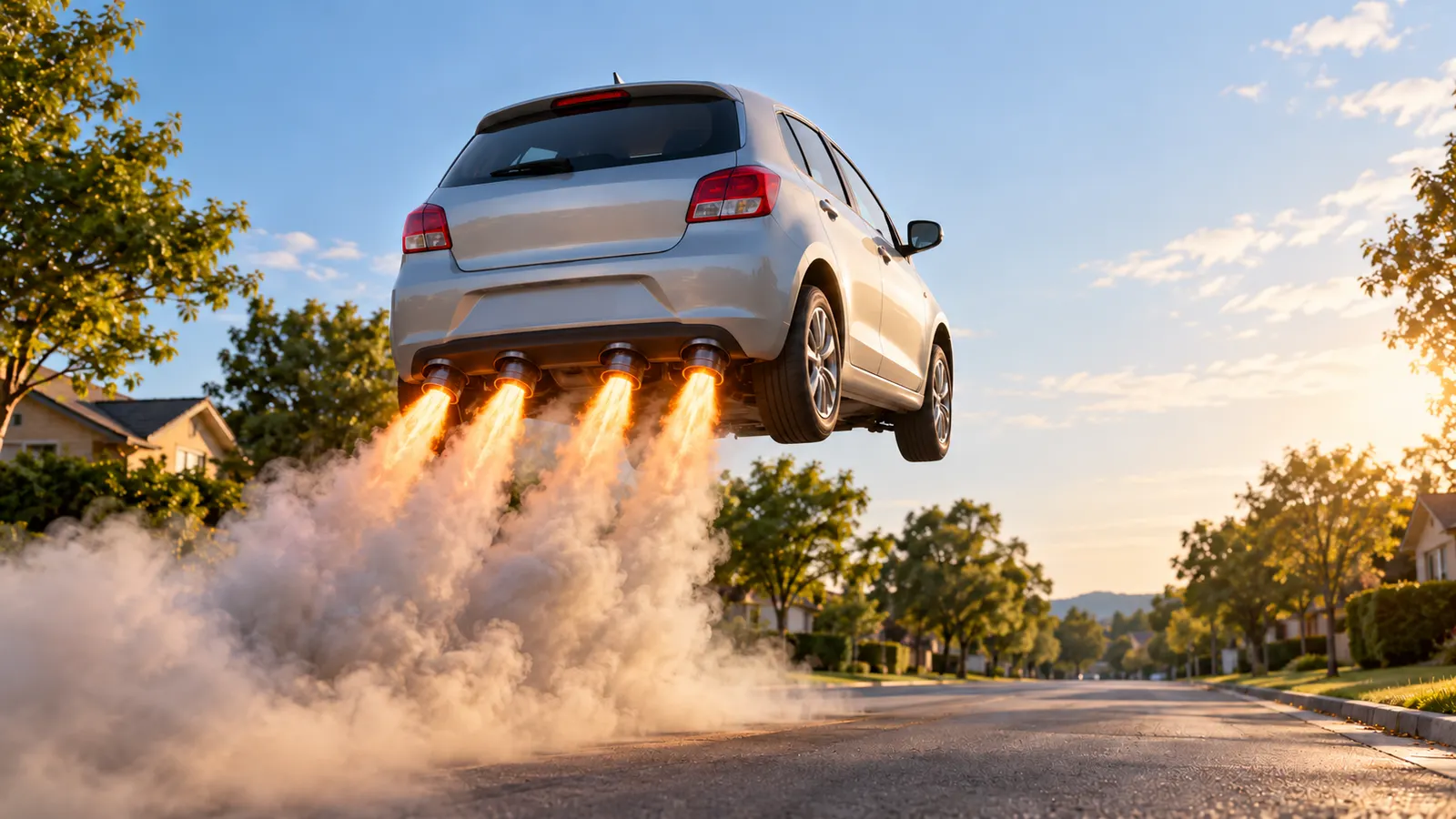
For about forty-eight hours in October 2026, the most common thing on short-video feeds was an ordinary car leaving the ground. A silver minivan in a cul-de-sac. A battered hatchback outside a supermarket. A delivery van on a country lane. Each one sat still for a few seconds, then four jets fired under the rear bumper and the car lifted off, nose first, into the sky.
None of those cars could actually fly, of course. They were made with AI, and the phrase people typed into search bars to make their own was some version of "make my car fly AI." This guide explains where the AI flying car effect came from, why it spread so fast, and how to make your car fly in a clip that looks like it was filmed rather than pasted together. We use RoadsterAI as the worked example, because it is built around exactly this trend and does not require you to write a single prompt.
Where the Make My Car Fly Trend Came From
The trend has an unusually precise starting point. On October 15, 2026, Tesla unveiled its long-delayed second-generation Roadster at an event outside Waco, Texas, on a SpaceX test site. Instead of a stage presentation, the company put the car through stunts. According to TechCrunch's report from the event, the Roadster used fans and cold-gas thrusters to drive up an inverted ramp, spin, and land on the pavement, and later lifted itself over a row of other Tesla vehicles while moving. Tesla's engineering vice president said the car's 10 thrusters draw on 600 liters of rechargeable compressed air.
The footage looked so unreal that many viewers assumed it was computer-generated. It was not. Snopes reviewed the clips and rated them real, pointing to attendees who filmed the demonstrations from the crowd. It also noted that calling the Roadster a true flying car is a stretch: what the prototype showed were short launches and controlled descents, with no one inside the car.
That combination, a real event that looked fake, is what lit the fuse. If the genuine clip already looked like AI, then an AI clip of your own car doing the same thing would sit naturally next to it in a feed. Within a day, people were posting versions with family SUVs, taxis and work vans. Car pages in other countries joined in with local jokes; one South African account showed a car hopping over a pothole as a comment on road conditions. The joke works in any language: an everyday car, in an everyday street, doing something only a six-figure prototype is supposed to do.
Why the AI Flying Car Effect Works So Well
Plenty of AI effects come and go in a week. The make my car fly format has a few properties that help it stick around longer than most.
It is personal. A car is one of the few objects people own that is both expensive and visible. Turning your own car into the star of a launch video is a small act of pride, or self-mockery if the car is twelve years old and missing a hubcap. Either way, the audience is primed to react.
It has a built-in comparison. Because the original demo was real, every AI version is implicitly a side-by-side with a multimillion-dollar engineering project. Your minivan does what the Roadster does. That contrast is the punchline, and it needs no caption.
It is short and vertical. The best versions run about ten seconds and fill a phone screen top to bottom. There is no setup to explain and no payoff to wait for. Viewers rewatch it, and rewatches are what short-video platforms reward.
It is easy to read at a glance. A car taking off is instantly recognizable. Unlike a dance trend, there are no moves to learn and no audio to time. The only skill involved is choosing a good photo, which is why the right tool matters more than effort.
What "Make My Car Fly AI" Actually Means
When someone searches for make your car fly AI, they usually want one specific thing: a short, realistic video in which their real car, in a plausible place, lifts off the ground. That is harder than it sounds, and it explains why so many early attempts looked wrong.
A general-purpose AI video generator can certainly animate a car photo. But left to its own devices, it tends to make one of a handful of mistakes. The car's shape changes as it moves. The wheels fold inward or turn into glowing discs, because the model has seen a lot of science-fiction hover cars. The camera cuts or drifts in a way no human operator would. The license plate fills with gibberish characters. Or the car simply floats upward like a balloon with no thrust, which kills the illusion instantly.
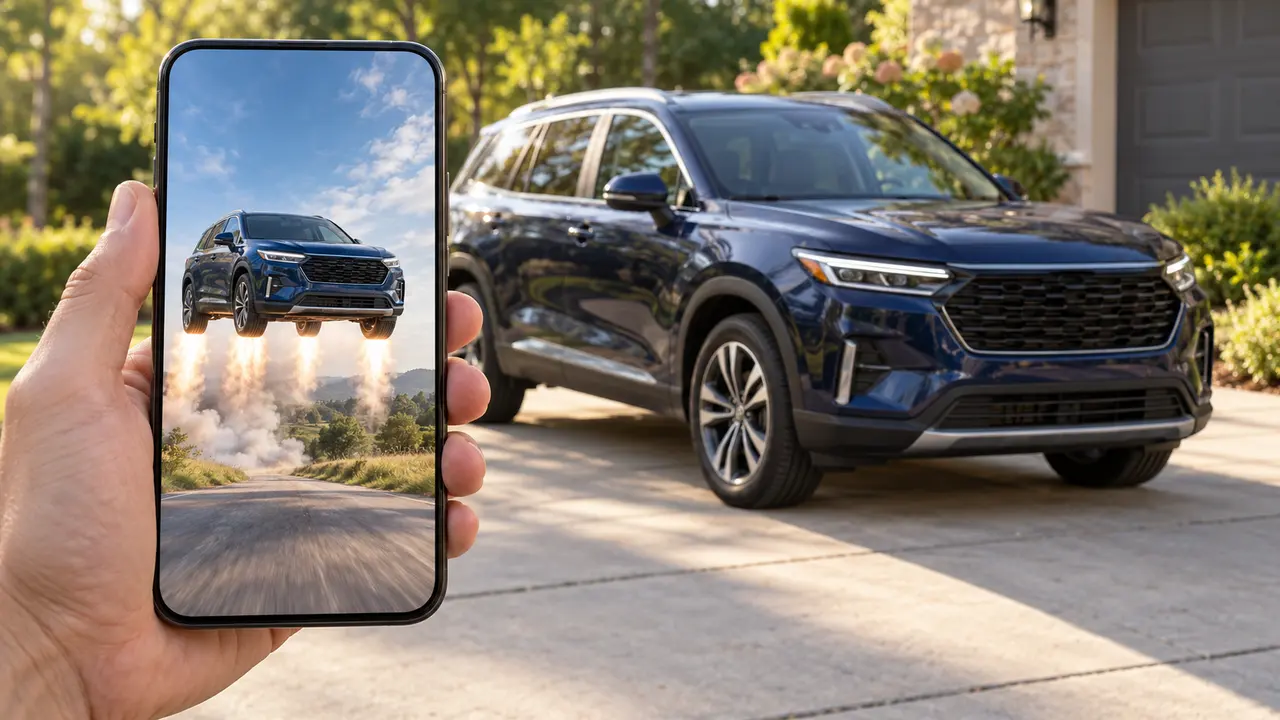
A dedicated AI flying car effect fixes these issues by locking down the scene before the model ever sees your photo. The camera angle, the timing, the number and position of the boosters, the lighting and the sound design are all decided in advance. Your photo supplies the car and, in some templates, your likeness. Everything else is choreographed. That is the difference between asking a model to "make my car fly" and using a template that already knows how a convincing take-off should look.
RoadsterAI at a Glance
RoadsterAI is an independent site, not affiliated with Tesla, that turns your photos into the two stunt clips that defined the trend. The homepage shows the original viral ramp clip next to AI versions made with a school bus and a family minivan, which is a quick way to see what you are getting before you upload anything.
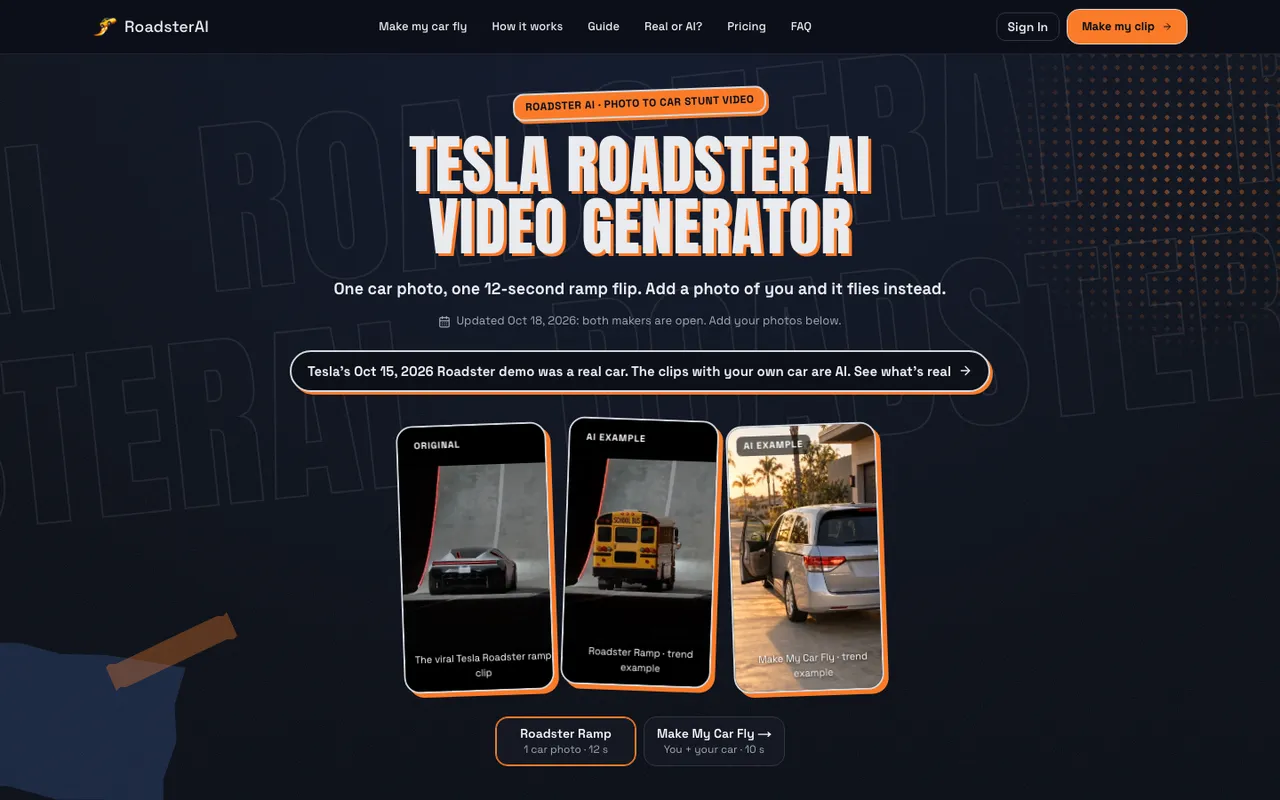
There are two templates, and they answer slightly different versions of the same wish:
| Template | What you upload | What happens in the clip | Length and format |
|---|---|---|---|
| Make My Car Fly | A photo of you and a car photo | You walk to your car, glance back, get in; four rear boosters fire and the car lifts off nose first | 10 seconds, 9:16 MP4 |
| Roadster Ramp | One whole-car photo | Your car climbs a tall curved ramp at night, flips once, fires thrusters and lands in smoke | 12 seconds, 9:16 MP4 |
Both clips are rendered as one continuous shot with ambient sound only: footsteps, the door, the engine, the boosters, wind and tires. There is no music and no on-screen text, which is deliberate. It leaves you free to add a trending sound on TikTok, Reels or Shorts without fighting a baked-in soundtrack. Downloaded clips carry no watermark.
Step by Step: How to Make Your Car Fly with RoadsterAI
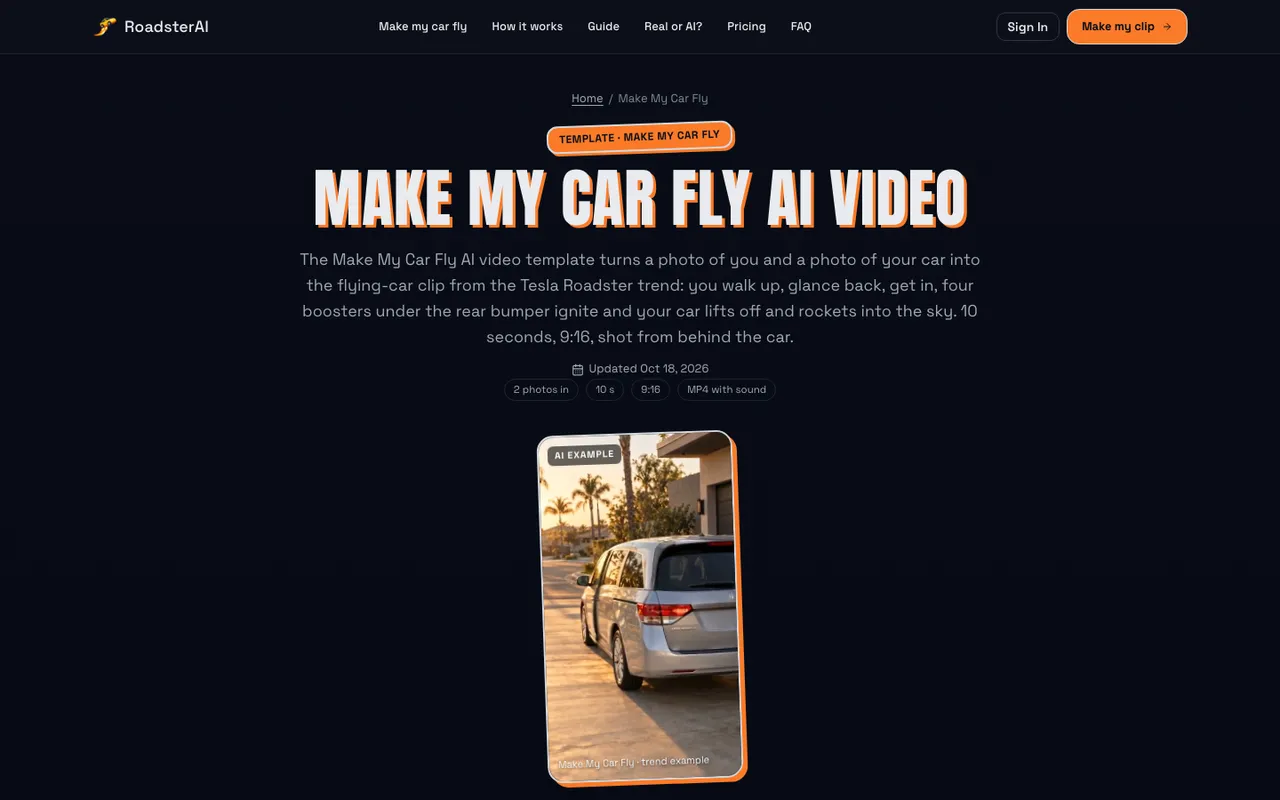
The Make My Car Fly AI video template is the version most people mean when they talk about the trend, because it puts you in the shot. Here is how a typical session works, and the decisions that matter most at each step.
Step 1: Take the right two photos
You need one photo of yourself and one photo of your car. The portrait should show a single person with the face clearly visible in daylight. Sunglasses, a cap pulled low or deep shadows weaken the likeness, and group photos confuse the model about who should walk to the car.
The car photo is where most people go wrong. Get the whole car in frame, all four corners and all four wheels, with nothing cropped. RoadsterAI recommends a front three-quarter angle, roughly 45 degrees off the nose, as the best single view. The clip is filmed from behind, so the AI has to rebuild the rear of the car from what it can see. A three-quarter shot gives it the most information about the shape, the paint and the wheels.
Step 2: Choose a model and resolution
The template offers two quality tiers. Standard runs on Seedance 2.0 Mini and is the cheaper way to try your first clip. Pro runs on Seedance 2.5, a larger model that tends to hold the car's shape and your likeness more consistently through the motion. Each tier comes in 480p or HD 720p. For a test, 480p is enough to judge whether your photos work; for the version you actually post, 720p looks noticeably cleaner on a modern phone.
Step 3: Render and wait
After you sign in and start the render, the service first sets up the opening frame with you and your car, then generates the motion. This takes several minutes, and longer during busy periods. Credits are charged only when the render starts, and if a render fails they return to your balance automatically.
Step 4: Download, label and post
You get a 10-second vertical MP4. The timeline is consistent from clip to clip: for the first couple of seconds you walk toward the car and look back at the camera; you get in and the door shuts; the tail lights glow and four boosters ignite, pushing flame and smoke toward the lens; then the car rises, hovers, tilts its nose up and flies off as the camera tilts to follow. Add your own audio, turn on the platform's AI-generated label, and post.
The Car-Only Version: Roadster Ramp
Not everyone wants to be in the video. Some people are making clips for a car club page, a dealership account or a friend's car, and some simply prefer to stay off camera. For them, the Roadster Ramp AI video template recreates the ramp stunt from the original demo with nothing but your car.
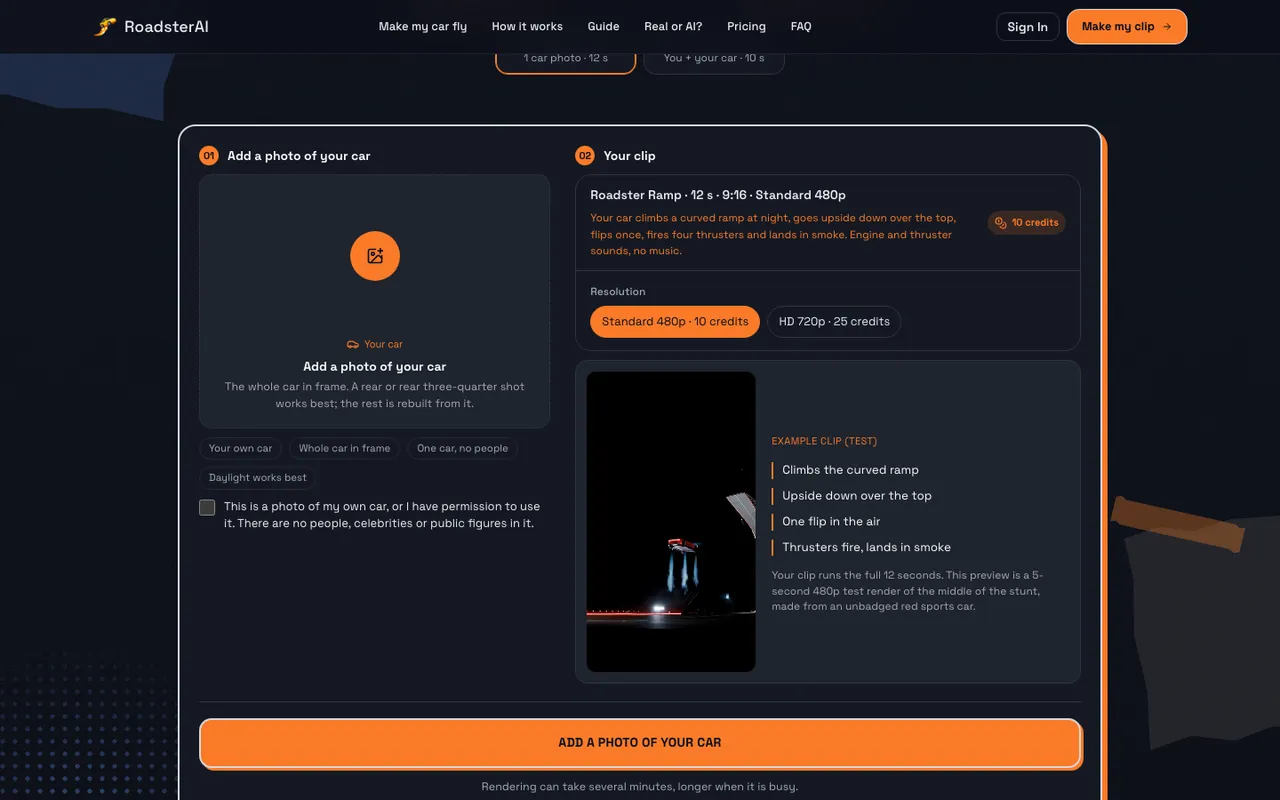
You upload one photo of your car, confirm that it is yours or that you have permission to use it, and pick a resolution. The 12-second clip follows the same beats every time: the car waits at the foot of a tall curved ramp at night, drives up the curve as the camera pulls back, reaches the top upside down, leaves the lip and flips once in the air, fires four thrusters to level itself, then drops into a cloud of white smoke, lands on all four wheels and drives away.
For this template, a rear or rear three-quarter photo in daylight works best, with no people or other cars in the frame. It accepts cars, SUVs, vans and pickups; motorcycles, toys and drawings are not supported. Logos and lettering on your car usually carry over, though small print may soften, and the license plate is always left blank.
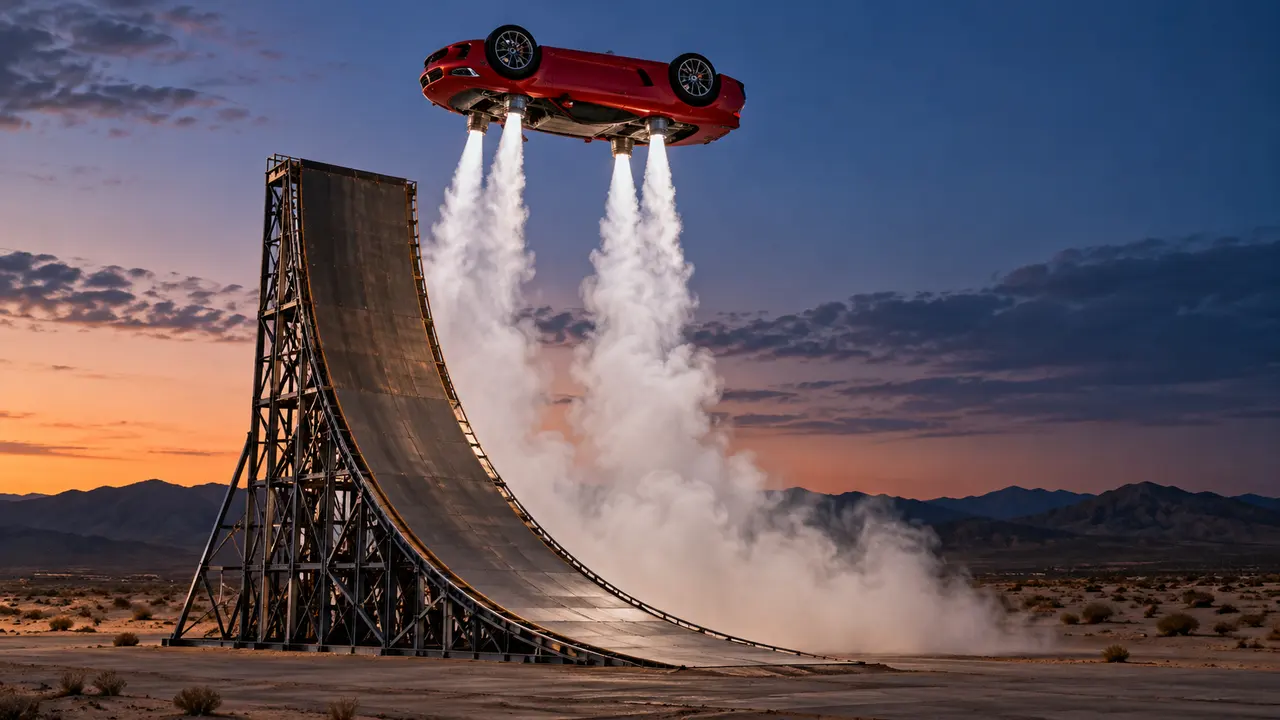
Photo Tips for a Convincing AI Flying Car Effect
The template handles the choreography, but the photo still decides whether the result looks like your car or a vague cousin of it. These habits make the biggest difference.
- Shoot in open space. A car parked alone on a quiet street or an empty lot gives the AI a clean outline. A crowded parking garage with three other cars touching the edges of the frame makes it guess where your car ends.
- Use daylight, not flash. Even, natural light shows the true paint color. Night photos and harsh flash produce reflections the model can mistake for body shape.
- Skip filters and edits. A color-graded or AI-retouched photo will be reproduced faithfully, including the parts that do not match your real car. Use the plain photo straight from the camera.
- Mind the rear. Because Make My Car Fly is filmed from behind, tail lights and bumpers are partly reconstructed. If your car has a distinctive rear, consider a rear three-quarter shot for the Ramp template, where the rear is directly visible.
- Keep your face clear. For the portrait, face roughly toward the camera with no sunglasses. A plain background helps the model separate you from the scenery.
- Expect wraps to simplify. Complex vinyl wraps, racing livery or heavy modifications may be smoothed into simpler shapes. Factory paint and stock wheels come through best.
What It Costs
RoadsterAI uses credits rather than a free unlimited tier. You can buy one-time credit packs that never expire, starting at 10 credits for $9.99 and 30 credits for $19.99, with larger packs bringing the per-credit price down sharply for people making clips for a whole car club or a content account. Monthly plans exist for heavy users. Full details are on the RoadsterAI pricing page.
Per clip, the cost depends on the template and quality you choose:
| Clip | Model | 480p | 720p |
|---|---|---|---|
| Make My Car Fly, Standard | Seedance 2.0 Mini | 10 credits | 22 credits |
| Make My Car Fly, Pro | Seedance 2.5 | 20 credits | 44 credits |
| Roadster Ramp | Seedance 2.5 | 10 credits | 25 credits |
In practice, that means the smallest pack buys one 480p test of either template. A sensible approach is to render a 480p Standard version first, check that your photos produce a car you recognize, and only then spend credits on a 720p or Pro render of the version you plan to post. Because failed renders are refunded, the main risk is a weak photo, not a lost payment.
Is there a way to make my car fly for free? Some general apps offer free trials or templates with watermarks, and you can always experiment with a general-purpose video model and a long prompt. The trade-off is time and consistency: you will likely run several attempts to get the boosters, camera move and car shape right, whereas a fixed template is built to land the shot on the first try.
RoadsterAI Versus Doing It Yourself
There are three broad ways to make your car fly AI-style, and each suits a different person.
A general AI video generator with a prompt. Tools like Kling, Seedance or Veo can animate a car photo if you describe the motion carefully. This route offers the most creative freedom: you can choose a beach, a city at night or a mountain road. It also demands the most work. You will need to specify a locked camera, rear boosters rather than glowing wheels, a single continuous shot, and realistic smoke, and then iterate when the model ignores half of it.
A mobile editing template. Editing apps often publish car effect templates within days of a trend. They are quick and sometimes free, but many are built on a single generic animation, so the car you see in the result is often only loosely based on yours.
A purpose-built template site. This is where RoadsterAI sits. You give up control over the scene in exchange for a clip that follows the trend's exact beats, keeps your car's paint, wheels and lights, and puts you in the shot. For most people who just want their version of the trend online today, that is the right trade.
Posting Responsibly: Label It as AI
There is an irony at the center of this trend. The original clip was real and many people thought it was fake; your clip is fake and some people will think it is real. That is the reason to label it.
Both major platforms ask for this. YouTube requires creators to disclose realistic content made or altered with AI, and TikTok and Instagram offer an AI-generated label for the same purpose. Turning it on costs nothing, protects your account, and does not hurt the joke: everyone knows a minivan cannot fly. RoadsterAI itself reminds users to mark posts as AI-generated, removes license plate characters and badges from its examples, and does not use any Tesla footage or logos in your clip.
A few other rules are worth following. Only upload photos of yourself, or of adults who have agreed to be in the clip. Do not use photos of minors or public figures. Use cars you own or have permission to show. And do not caption an AI clip as if it were a real event, especially one involving a real brand or a real road incident, because that is where a harmless meme turns into misinformation.
Creative Ways to Use Your Flying Car Clip
Once you have the clip, there is more to do with it than a single post.
- A new-car reveal. Instead of the usual photo with a bow on the hood, post the car taking off with the caption "Day 1." It has become a recognizable format.
- Couple or friend sets. Render one clip each with the same car and cut them together, so every person in the group gets their own take-off.
- Car club intros. A ten-second launch makes a strong opening for a meet-up recap or a channel trailer, especially with a run of different members' cars.
- Dealership and detailing pages. A freshly detailed car flying off the lot is a light-hearted way to show a finished job, provided the post is clearly labeled.
- Before-and-after humor. Pair the clip with a photo of the car's real condition, the dent, the mismatched door, the pothole it just survived. The contrast is often funnier than the clip alone.
Frequently Asked Questions
Is the Tesla flying car video real or AI?
The Tesla Roadster demonstration on October 15, 2026, was real. Snopes rated the footage true, and attendees filmed it in person. The clips of ordinary cars doing the same thing, including those made with RoadsterAI, are AI-generated.
Does my car have to be a Tesla?
No. Both templates work with any four-wheeled car, SUV, van or pickup. Half the fun of the trend is seeing very un-Roadster-like cars take off.
How long does it take to make my car fly with AI?
Uploading takes a minute or two. Rendering takes several minutes per clip, and longer when the service is busy, so plan for a short wait rather than an instant result.
Can I use a friend's photo or car?
Only with their permission, and only for adults. RoadsterAI does not allow photos of minors, celebrities or public figures, and it asks you to confirm you have the right to use the car photo.
What resolution should I choose?
Use 480p to test whether your photos work, then 720p for the clip you post. The difference is visible on a phone screen, especially in the smoke and the car's edges as it lifts off.
Why does the back of my car look slightly different?
In the Make My Car Fly template the camera sits behind the car, but most people upload a front three-quarter photo. The AI reconstructs the rear from what it can see, so tail lights or bumper details may not match exactly.
The Bottom Line
The make my car fly trend is one of the rare AI fads with a clear origin, a simple premise and a punchline everyone gets. A real prototype did something impossible-looking on a test track in Texas, and within a day a lot of people wanted to see their own car do it too. The tools to make that happen now exist, and the main thing that separates a convincing clip from a weird one is a template that knows the shot and a good, clean photo of your car.
If you want to try it, take two daylight photos, one of you and one of the whole car, and head to RoadsterAI. Render a quick 480p test, check that the car looks like yours, then make the version you will post. Label it as AI, add your favorite sound, and let your hatchback have its moment in the sky.