The button says six credits. You upload a photo, tick a consent box, and seven seconds of vertical video come back with your face doing something you have never done on camera. That is the entire transaction offered by Bicep Heart Trend AI, and it is worth understanding before you press it, because almost nothing about the seven seconds is obvious from the landing page.
Here is the part that is not obvious. This is not a filter, an effect layer, or a template that slides a photo around. The output is a newly synthesised performance in which a model rebuilds your arms, hands, sleeves and room so that a specific physical gesture happens on schedule. The gesture depends on a gap — an empty pocket of air between a hand and a bicep — and a gap is the one thing a generative model has no object to hold onto. That is why the pose works beautifully in real life and fails in specific, repeatable ways on the first render.
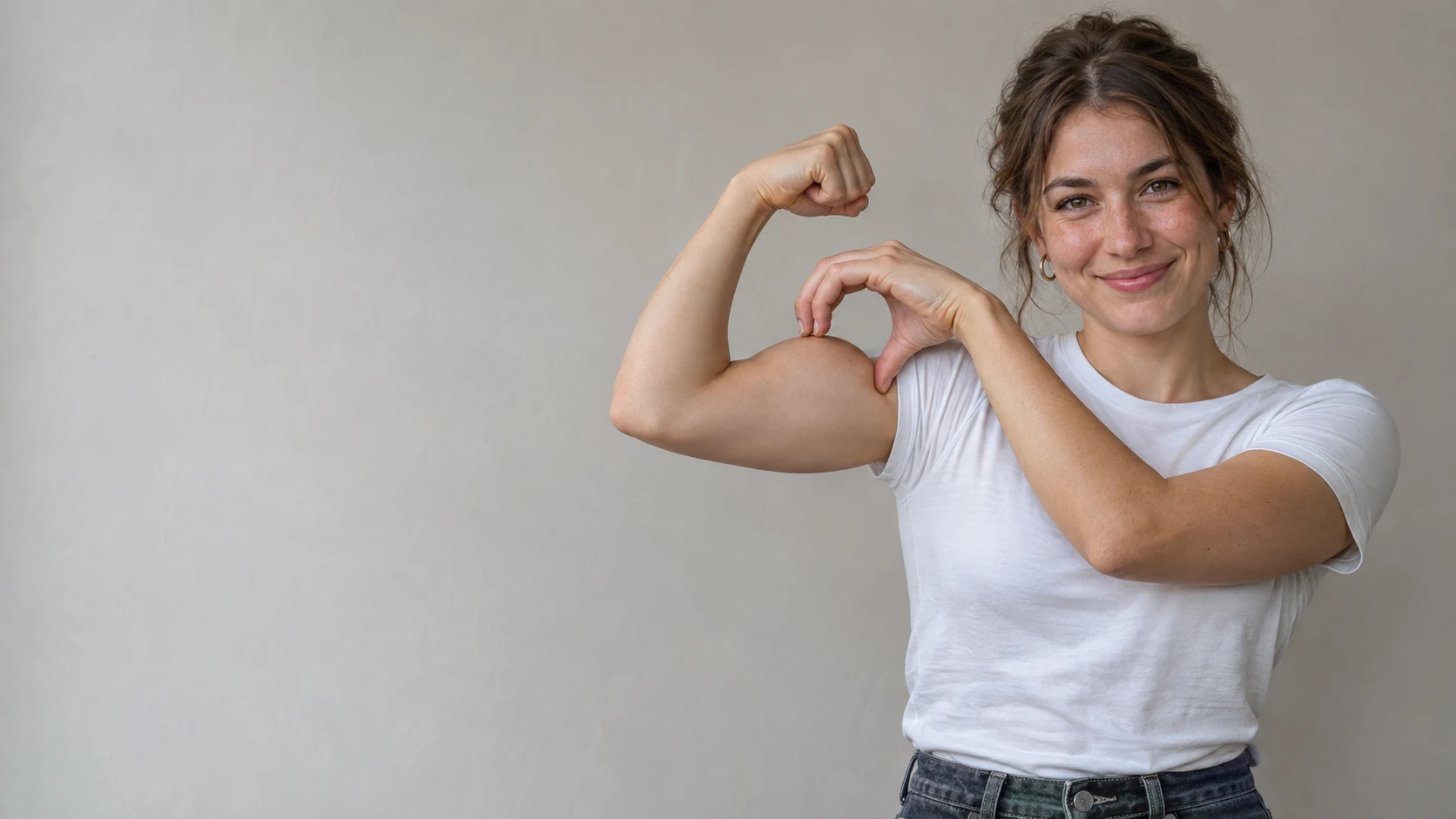
This guide is written for someone who has already decided to try it. It covers what the button sells, which of the five search phrases leads to which product, the physics behind the pose, the input-frame audit that separates a postable clip from a refund request, the six-step workflow with real credit arithmetic, a symptom table for diagnosing bad renders, and the publishing rules that decide whether the clip survives a week on the platform.
Start with what the button actually sells
Before anything else, pin down the deliverable. A Bicep Heart Video from Photo is a vertical MP4, roughly nine by sixteen, about seven seconds long, at either 480p or 720p, delivered without a watermark and downloadable from your account rather than emailed as a link.
What it is not: a still image, a preview frame, a capcut project, or a livestream effect. Several sites in this category advertise a "free bicep heart generator" and hand back a single rendered still of the final pose. That is a picture of a heart. It does not move, it cannot carry the audio, and it will not read as the trend when posted.
Two other properties of the deliverable matter more than resolution, and neither is usually stated plainly:
The room comes from the reference, not from you. The generator transfers a motion onto your identity inside a fixed interior. Your face, hair and clothing are yours; the walls, the light and the handheld camera feel are not. If a specific location was part of your idea, the file will quietly overrule you.
The pose is baked in. There is nothing to type. No prompt box, no motion description, no reference upload. The trade for that convenience is that you cannot ask for a variation — a different angle, a seated version, a two-person version. You get the pose the pipeline was trained on, or a failed render.
Four products hide behind five search phrases
The five phrases people type are not synonyms, and two of them lead to products that cannot do what the searcher wants.
Bicep Heart Trend AI is the broad label. It covers the gesture, the wave of clips, and every tool built to reproduce it. Typing this usually means you are still deciding whether the thing is an app, a filter or a website. Website is the answer: browser tools, no install.
Bicep Heart AI Video Generator is a request for a file. The searcher has seen the clip, wants their own face in it, and is now comparing prices. This is where the market gets muddy. The identical seven-second output is sold at $4.99, $5.99, $9.90 and $9.99 across different domains, and most product pages decline to name the video model doing the work.
AI Bicep Heart Pose Generator is the narrowest and most easily disappointed phrase. It asks for a pose, which can be satisfied by a still image. Some sites sell exactly that and describe it with the word video. If you want motion, check the file format before you pay.
Viral Bicep Heart TikTok Trend is the cultural query, not a product query. Someone typing it wants to know what the thing is, why it spread, and what the sound is. The answer, briefly: a one-arm gesture filmed in a single take, usually with one particular slowed track underneath, which crossed from a gym joke into mainstream feeds within about ten days.
Bicep Heart Video from Photo is the exact technical description of the task, and the phrase most likely to find a tool that is actually built for it rather than a general video model wearing the trend's name in its metadata.
The heart is a hole with three edges
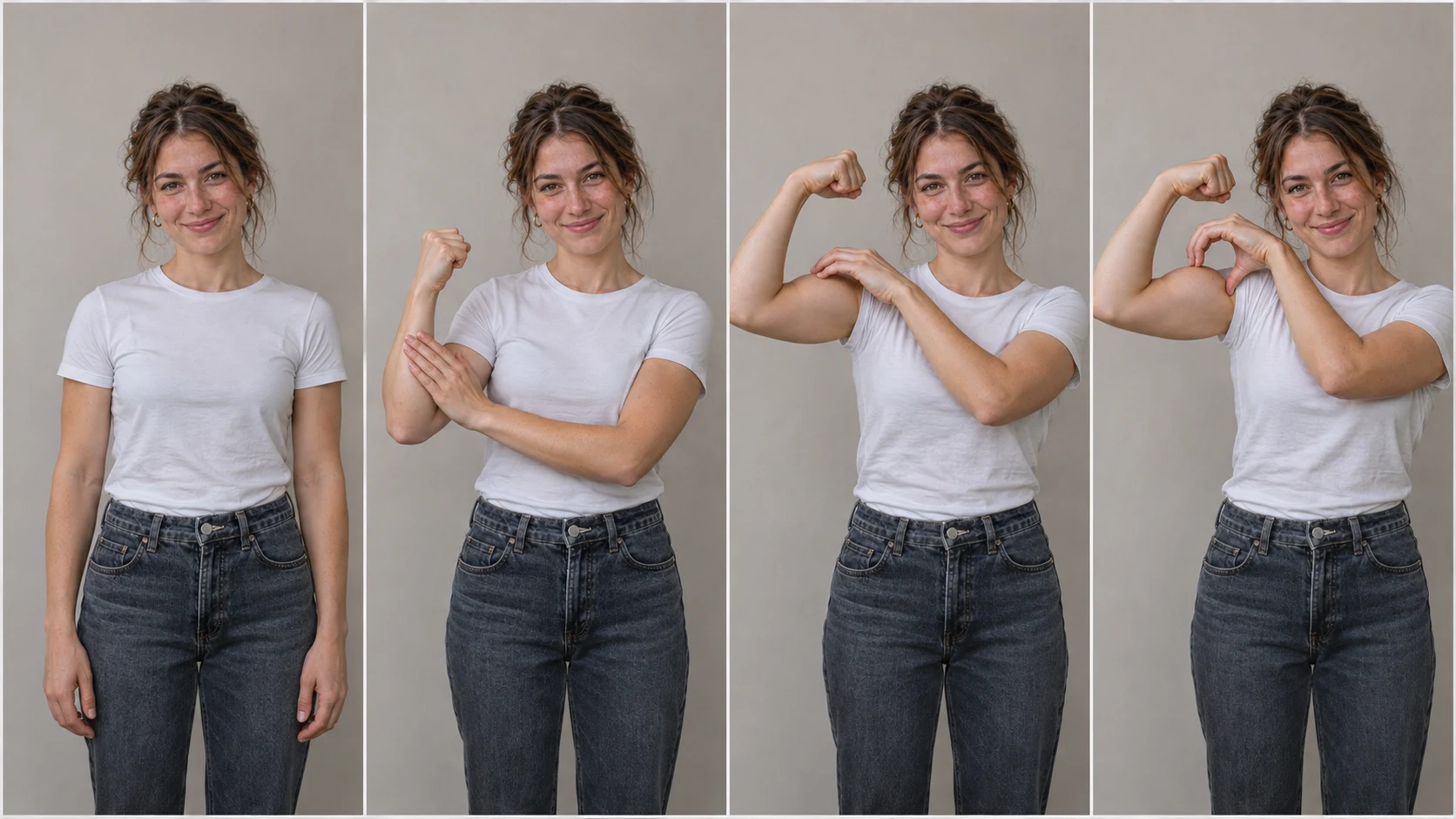
The mistake almost everyone makes, human or machine, is treating this as a hand gesture. It is not. Nothing is drawn. The heart is the negative space left over, and it is bounded by exactly three edges: the outer curve of the flexed bicep, the curl of the fingers resting on it, and the closed hand beside the head.
That structure has consequences.
It only exists from one viewpoint. Move the camera ten degrees and the three edges stop lining up; the shape becomes a hand resting on an arm. Any parallax destroys it. This is why the trend clips use a locked camera, and why the good generated versions keep the framing static for the whole seven seconds.
Tolerance is about a centimetre. Place the curling hand low, near the elbow, and the enclosed pocket opens downward into an armpit fold. Keep the fingers flat against the muscle instead of curving them and there is no closed shape at all. Neither mistake looks like an error in isolation; both destroy the only thing the clip is for.
Contact matters as much as shape. Fingers have to sit on the bicep, with the small shadow that real contact produces. A hand hovering a centimetre above the arm reads as wrong instantly, even to a viewer who could not say why.
Muscle size is irrelevant. The bounding curve of a slim arm makes the same outline as a large one, often a tidier one. The pose is geometry, not strength, which is the reason it travelled far outside gym accounts within days.
For contrast, three gestures that get confused with it: two arms meeting overhead frame a heart with both arms, and it is a different pose entirely; two hands in front of the chest make a hand heart, with no arm involved; and a plain flex has no heart in it at all, only the setup. A generator that returns any of those has misinterpreted the request.
Why the trend is a fortnight old and already templated
The bicep heart moved faster than most meme cycles, and the speed explains why the tool market looks the way it does.
Know Your Meme's entry places the start at the end of October 2026 and treats @kavithageorge's clip, captioned "Have you ever heard of a bicep heart?", as the first widely seen version, at more than 5.3 million views inside a week. Reporting around the same period puts the hashtag's TikTok debut on October 26, after the gesture had already been circulating as a gym joke on X — which is to say the pose existed before the platform that made it famous.
The second week was the explosive one. A version posted by @chrisphamne on November 1 passed 8.2 million views in five days. A tutorial from @brookemonk_ on November 4 cleared 8.3 million in two. By November 5 there was a crying-video offshoot in which a creator asked to be sent bicep hearts and collected over 300,000 likes in a day. Independent trackers counted roughly 71,000 posts under the hashtag within the first week.
Two properties made this trivially templatable. The clip has one performer, one movement, one fixed frame, no dialogue and no cut — which is exactly the shape a motion-transfer model handles best. And the motion is short and repeatable: a few beats, in order, in under seven seconds. Nothing needs to be art-directed.
The audio deserves separate handling, because it is where well-meaning brand accounts get into trouble. Most large posts sit on one original sound: a slowed jersey-club edit of "Wyw My Sweetie" by nissi and 25Hzz, uploaded by @trendformusic in early October 2026. Tokchart's tracker had that sound inside roughly 120,000 videos and in the worldwide top three by the second week of November. It is not yours to use commercially. Personal account: add it through the app's own picker. Brand account: use the platform's commercial library, or export silent and add licensed audio later.
The input frame: five things the model must be able to see
Everything that determines the quality of a render happens before the upload. The model cannot animate what the photograph does not contain, and the three edges of the heart are only reconstructable if the picture shows all of them.
Run this audit on the photo before spending anything.
| What the model needs | Passing input | What breaks it |
|---|---|---|
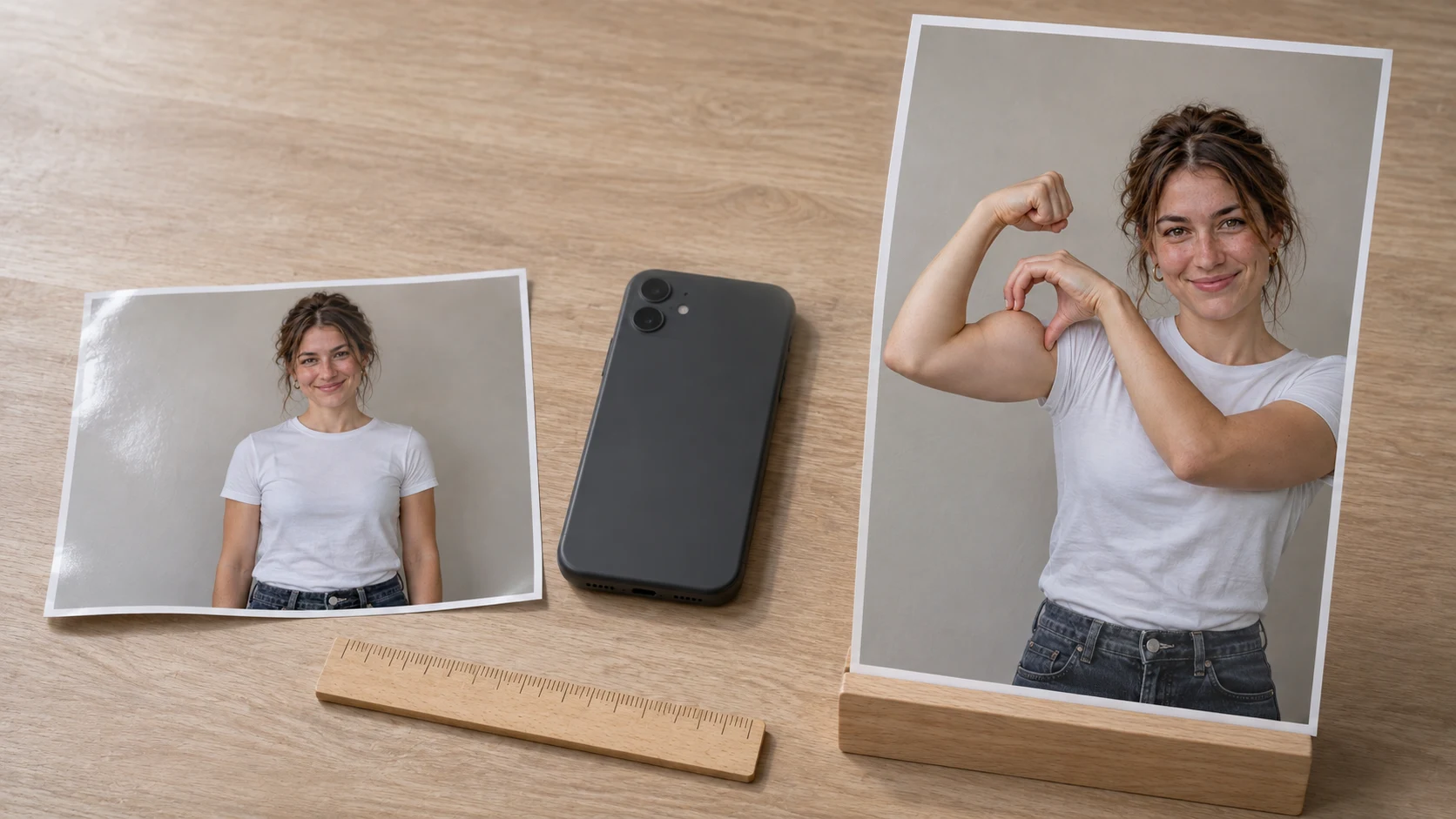
| Both arms, elbows and hands | Waist-up shot, arms hanging, hands visible | Arm cropped by the frame edge, hand in a pocket, phone held across the chest |
| Clear bicep outline | Short sleeves, tank top, bare arms | Hoodie, jacket, loose knit, arms crossed over the body |
| Room above the head | Some empty wall over the shoulders | Tight portrait crop, chin-to-hair framing |
| A readable face | Even daylight, no filter, eyes open | Sunglasses, hat brim shadow, heavy beauty filter, backlight |
| One person only | Solo subject, clean background | Group photo, a second face at the edge, a pet in frame |
Two of those failures are worth explaining, because they are counter-intuitive.
Mirror selfies are the worst common input. The phone hides one arm, and the reflected image is laterally inverted. A model animating it has to invent the missing limb and guess which side the heart belongs on. A timer shot with the phone on a shelf, or a photo taken by someone else, is consistently better.
Posing mid-flex actively hurts. The pipeline animates a movement from a relaxed stance. Submit a photo where you are already flexed and the render often starts at the end of the gesture, which leaves nothing to watch.
File constraints are ordinary — JPG, PNG or WebP, up to 10 MB, minimum 300 × 300 pixels — and every modern phone photo satisfies them. The site's photo guide publishes the same rules as a comparison table with examples, and it is the fastest way to check a candidate photo against the list.
Six steps, and what each one costs you
The workflow runs in a browser tab on phone or desktop. Here is the sequence with the decisions that actually matter at each stage.
1. Sign in, then upload. Sign-in precedes the upload, and nothing is charged until a pack is chosen. The consent tick is not decorative: it asserts that everyone in the photo agreed, is over eighteen, and is not a public figure. It is also the rule every platform will hold you to later.
2. Choose resolution with a purpose. Standard 480p consumes 6 credits. HD 720p consumes 15 — two and a half times as much for the same seven seconds. Since vertical video is watched at arm's length, 720p is visibly better on a phone, but the sensible production order is a 480p test to confirm the likeness, then a 720p re-render of the version worth keeping. Paying for HD on an unproven photo is the most common way to waste money here.
3. Choose the audio track. Leaving the default attaches the trend sound, timed to the action, which makes the file self-contained if someone downloads it and forwards it in a chat. Choosing Silent produces a clean MP4 for adding audio inside the posting app, where your account's music permissions apply. Choose once, deliberately; it is a setting, not a patch.
4. Render and walk away. The job runs server-side and lands in My Creations when finished. Queue depth, not a timer, decides how long it takes — the site's own published tests ran around five and around ten minutes on a quiet day. Closing the tab is safe. A failed render or a safety block returns the credits to your balance.
5. Inspect at phone scale, in full. Not the final frame — the whole clip, ideally on the device you will post from. Four checks in order of how badly they ruin the joke: does the heart gap read at small size; is the curling hand high on the upper arm rather than down at the elbow; are there two arms and a plausible count of fingers; and does the face still resemble the photo at second six as clearly as at second one.
6. Publish with the label on. Download the MP4, add sound in-app if you exported silent, enable the platform's AI-generated disclosure, and caption it for recognition rather than explanation.
The site's own walkthrough page compresses this into five steps and, unusually, publishes two real renders with their flaws catalogued. More on that below, because those two examples are the most useful piece of evidence available.
The price per usable clip, not per render
Per-render pricing is misleading, because a first attempt is not a deliverable. The number that matters is what a keeper costs after the test.
At the time of writing, the pricing page sells one-time credit packs with no subscription: 6 credits for $5.99, 18 credits for $12.99, and 30 credits for $19.99. Credits do not expire, nothing renews, and a failed render refunds credits rather than cash — a distinction worth reading twice before paying, because it means a bad render is not a bad charge.
The arithmetic that decides which pack to buy:
- One 480p test plus one 720p keeper costs 21 credits — more than the Trio pack holds, less than the Five Pack.
- One 480p test plus one 480p keeper costs 12 credits — comfortably inside the Trio pack, with 6 credits spare for a second attempt.
- Two 720p keepers cost 30 credits — exactly the Five Pack, with nothing left for a retake.
That last line is the trap. If you intend to iterate at 720p, the top pack buys two attempts at HD and no more. If you are willing to post 480p — and on a phone, in a seven-second clip watched once, most people cannot tell — the middle pack is the rational purchase.
When the render goes wrong: a symptom table
Diagnosis is faster as a table than as prose, because the same visible symptom usually has the same underlying cause, and the fix is almost always upstream in the photo rather than in a re-roll.
| Symptom | Most likely cause | What to change |
|---|---|---|
| No heart appears | Curling hand too low, or bicep hidden by a sleeve | Photo with bare arms, hands in frame, arms hanging |
| Fingers merge into skin | Hand in full contact with no separating edge | Sharper photo, more even light, slightly different hand angle |
| Extra finger or a second thumb | Model inventing digits at low input resolution | Higher-resolution source, tighter waist-up framing |
| The arm looks bigger than yours | Muscle gain baked into the pipeline | Nothing, except accept it or film the pose yourself |
| Sleeve changes shape | Fabric pushed up as the arm rises | Fitted tee or tank top instead of a loose sleeve |
| Face drifts by the end | Likeness degrades across the clip | A sharper, more frontal, unfiltered portrait |
| Background is unfamiliar | The room comes from the reference clip | Expected behaviour, not a bug |
One rule applies to everything in that table: a second render is a new roll of the dice, not a correction. It sometimes fixes the hands and sometimes introduces a different hand problem. Changing the input photo shifts the odds far more than repeating the same attempt.
What two published test renders tell you
Most tools in this category show one perfect clip and hide the input that produced it. Bicep Heart Trend AI does the opposite: two labelled 480p renders, dated November 8, 2026, each with the source photo in the corner and a written list of what held and what drifted.
The first subject is a slim build in a pastel-yellow tee. Identity held — face, wavy hair, earrings, the shirt itself — and the heart stayed legible at phone size with timing that tracked the original clip. Two things went wrong: the thin arm thickened noticeably at the flex, and the short sleeve converted into a tank top as the free hand pushed it up. Render time, about five minutes.
The second is an average build in a navy striped polo. His face survived the full seven seconds and the striped pattern held cleanly; the sleeve rolled up plausibly. The flexing arm again came out stronger than his build, and the movement landed slightly early against the trend's timing. Render time, about ten minutes.
Read together, those two tests describe a pipeline with a clear profile. Identity is the reliable part. Anatomy at the point of contact is the unreliable part. And the room is shared across both — because it comes from the reference clip, which is also why the light on each face matches the scene so convincingly.
That profile should decide whether you buy. If a slightly larger arm in a seven-second clip would bother you, this tool will bother you, and filming the pose is genuinely better. If it would not, your odds of a postable file within two attempts are decent, because the three things that must survive — face, heart shape, timing — are the three things the pipeline is good at.
The publishing gate
The clip is easy. The post is where accounts get restricted, and the rules are not ambiguous.
Adults only. Generated video of a minor in a trend scene is the fastest route to removal on every major platform. No exceptions for family photos.
Consent has two parts. Permission to animate a photo and permission to publish the result are different questions, and people answer the first far more readily than the second. Ask both, in writing, before you upload.
Label the post. TikTok, Instagram and YouTube all provide an AI-generated disclosure. It costs one tap and keeps the post in good standing, and it usually improves the joke, because a viewer who knows the face was recast is already in on the premise.
Never present it as footage. A generated clip is a new performance built from a still. Claiming it is a recording of you doing the pose is the specific claim platforms police.
Treat the audio as licensed content. The trend sound belongs to its uploader. Personal account, use the in-app picker so licensing stays on the platform's side. Brand account, use the commercial library.
Take the tool's own disclaimer seriously. The site states that it is independent, unaffiliated with TikTok and with the creators who popularised the trend, and that clips should be labelled. That is an accurate description of what you are buying: a fan-built generator for a gesture, not an official platform effect.
Captions that reliably travel are short and situational — "send this to the person who", a gym milestone, a recovery milestone, or a deadpan family version where someone's grandmother commits to the pose with no explanation. In all four, the humour comes from context rather than from the render, which is good news for anyone paying per clip: the joke is the free part.
Four cases where you should film it instead
The honest limits of an AI bicep heart pose generator are worth stating plainly, because they are structural rather than temporary.
You want your room. The interior is fixed. If the location is the joke, generate something else.
You want two people. The gesture is solo. Partner versions exist in the trend, and they are filmed, not generated — two identities in one short frame is double the drift for no gain.
You want your own arms. The pipeline adds mass at the flex. If that reads as dishonest to you, or if the clip is going somewhere that cares about physical accuracy, shoot it.
You want a variation. Seated, close-up, mirrored, upside down, three-beat instead of four: none of those are available. Templates are narrow on purpose, and the narrowness is exactly why the output is consistent.
In every other case — you have a good photo, no time to set up a shot, and you want the joke on the trend while the trend is still moving — the seven-second file is a reasonable trade for six credits.
FAQ
What exactly does one render produce?
A vertical 9:16 MP4 of roughly seven seconds at 480p or 720p, with the trend audio or silent, delivered without a watermark and kept in My Creations for repeat downloads at no extra cost.
Can one photo really produce the whole movement?
Yes, because the pipeline transfers a motion rather than following a description. Your photo supplies identity; a reference supplies the timing, the camera height and the room. That is also why there is no prompt to write and no second photo to add.
How much does a first attempt cost?
Six credits at 480p, which the $5.99 Single pack covers exactly. Fifteen at 720p. The credit total appears on the button before you confirm, and a failed or blocked render returns the credits automatically.
Which pack makes sense for a test plus a keeper?
One 480p test and one 720p keeper total 21 credits, so the 30-credit Five Pack covers it with 9 left over. One 480p test and one 480p keeper total 12, which the 18-credit Trio Pack covers with room for a retake.
How long does a render take?
Minutes rather than seconds, decided by queue depth. The site's published tests ran about five and about ten minutes. The tab can be closed; the job continues and lands in your account.
Why did the heart fail to form?
Almost always because the input photo did not show the three edges: a hand out of frame, a sleeve over the bicep, or arms crossed. Fix the photograph rather than re-rolling the same file, because the same input tends to reproduce the same class of miss.
Will my background appear in the clip?
No. Every render uses the same simple interior drawn from the reference clip. Your face, hair and clothes are yours; the walls and light are not. This is the intended design, not an error.
Is there a free version?
Not for video. Some competing sites return a free still of the final pose, which is a picture rather than a clip, and a few offer starter credits that do not cover a full render. The free route to the trend is performing the pose yourself with a propped-up phone.
What is the sound, and can I use it?
Most large posts use a slowed jersey-club edit of "Wyw My Sweetie" by nissi and 25Hzz, uploaded as an original sound by @trendformusic in early October 2026. Personal posts should add it through the platform's own picker. Business accounts should use the commercial music library or licensed audio instead.
Can I use someone else's photo?
Only an adult who has agreed to both the animation and the publication. Public figures are blocked by the tool and restricted by every platform. Minors are never acceptable.
Make the first attempt count
The bicep heart is unusual among AI video trends in that the hard part is already solved for you: the pose, the timing, the camera and the room are fixed, so the only variable left is the photograph you feed in. That makes the preparation, not the prompt, the skill.
Choose one bright, sharp, waist-up photo of a consenting adult with both arms visible and space above the head. Run the five-point audit before uploading. Render once at 480p to confirm the likeness holds, watch the entire clip at phone scale rather than the last frame, and only then spend 15 credits on the HD version you actually intend to post. If the hands betray you, change the photo before you change the settings, because the photo is the only lever the pipeline truly respects.
When you are ready, turn one photo into a bicep heart video and find out how your own face handles a heart made of nothing at all.