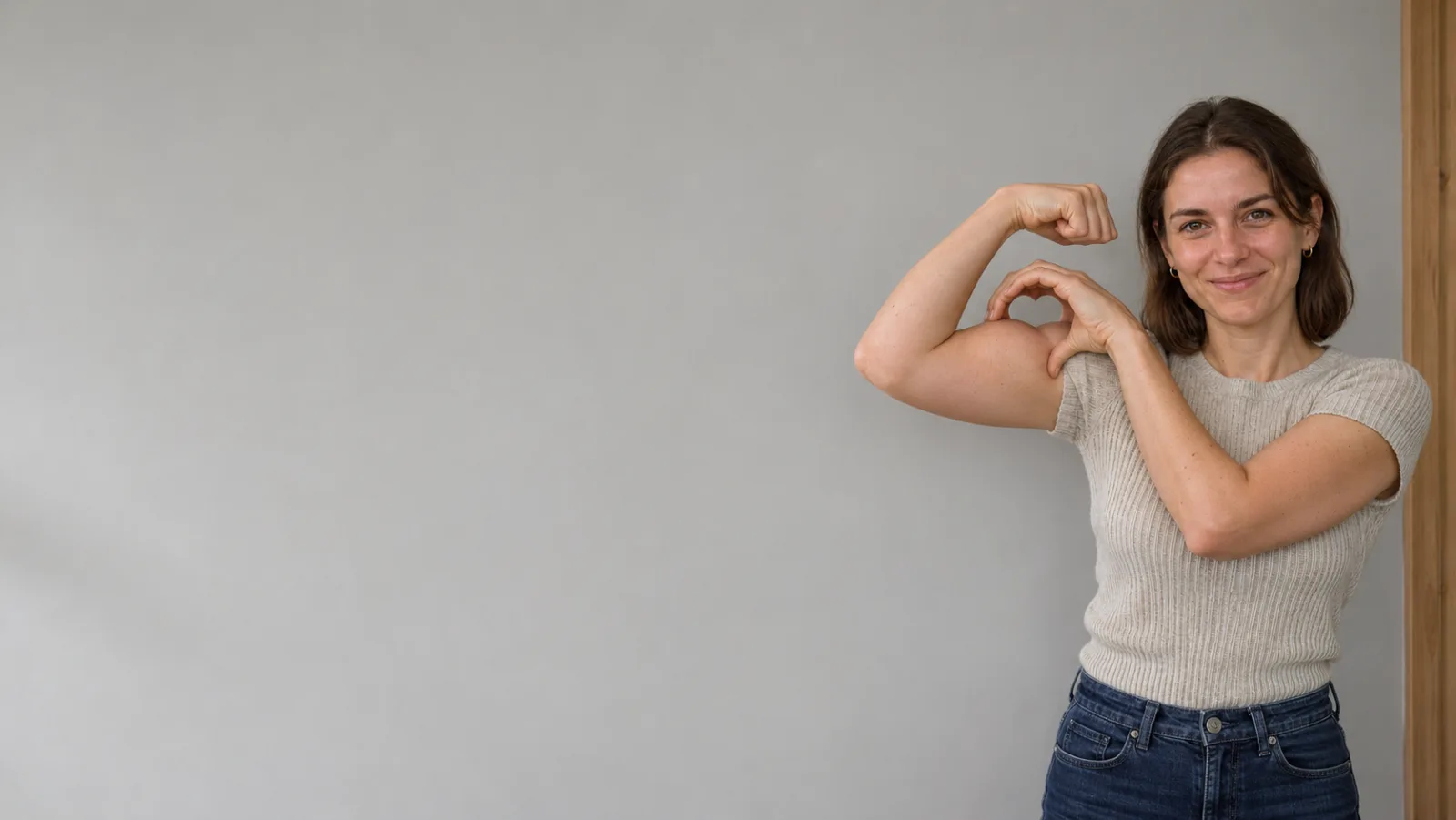
A bicep heart is a heart made of nothing. One arm bends up into a flex, fist beside the ear. The other hand reaches across and curls over the top of that bicep, thumb down. What sits between the fingers, the bicep and the fist is a small negative-space heart, roughly the size of a walnut, about twenty centimetres from a face. Nobody draws it. Nobody sticks it on. It exists only because two shapes happen to enclose a gap, and it reads as a heart only from the front, only at the right angle, and only if the fingers are placed within about a centimetre of correct.
That is the entire trend: a gesture that depends on a gap. It is also why the phrase "Bicep Heart AI" is more interesting than the average photo-to-video request. Most AI video prompts ask a model to render an object. This one asks a model to render an absence — a hole between a hand and an arm — while keeping five fingers anatomically plausible, keeping the hand physically touching the arm, and keeping a specific person's face intact for seven seconds. Three of the hardest things in generative video, stacked in one frame.
This guide is about how to actually get that frame. It covers what each of the five search phrases means, where the trend came from, the geometry of the pose, the photo decisions that decide whether the render is postable, the step-by-step workflow on Bicep Heart AI, what it costs, the specific ways these renders fail, and how to post one without getting it removed. It also covers something the trend pages usually skip: whether this format is worth your time at all, given how fast this particular wave is moving.
Five phrases, one pose, five different intentions
People arrive at this trend with five phrases that look interchangeable and are not. Search engines treat them almost the same, so the top results blur together, but the intent behind each one is different, and picking the wrong page wastes money.
Bicep Heart AI is the umbrella term. It covers the pose, the trend, the pile of generator sites that appeared within about a week, and every clip made with them. If you type only this, you are probably still deciding whether this is a filter, an app, or a website. It is a website category: browser tools that take one photo and animate it.
Bicep Heart AI Video Generator is the buying phrase. The person typing it has already seen the clip, wants a file with their own face in it, and is comparing price, length and resolution. This is the phrase where the market is most crowded and least honest — the same seven-second output is sold at $1.99, $4.99, $5.99, $6.99 and $9.90 depending on the domain, and almost none of those pages tell you which video model is behind the render.
Bicep Heart Trend Video is the cultural object. It is the original clip, the remakes, the gym accounts, the couples, the pets, the argument in the comments about whether anyone is actually flexing. If you are here from that phrase, the short answer is: a real pose, several seconds long, usually vertical, usually posted with a slowed audio track, and now routinely made by AI instead of filmed.
AI Bicep Heart Video From Photo is the precise technical request, and the one that matters most. The input is the whole trick. One waist-up photo in, about seven seconds of video out, no prompt, no reference clip you have to supply, no second photo. That constraint is what separates a generator built around this pose from a general video model where you would have to describe the motion yourself and would probably describe it badly.
Bicep Heart TikTok Trend is how the joke is filed by people who do not know which model produced it. It is what someone types after seeing the clip in a group chat. It is also the phrase most likely to land you on a page about the overhead arm heart — the older gesture where both arms meet above the head — which is a different pose, a different silhouette, and a different set of tools. Confusing the two is the single most common reason someone pays for a render and gets something that is not the trend they meant.
The pose, precisely, because everything else depends on it
Before any tool, get the geometry right. A bicep heart is not a heart you make with your hands. It is a heart you find between your hand and your arm.
Here is the version that reads on camera:
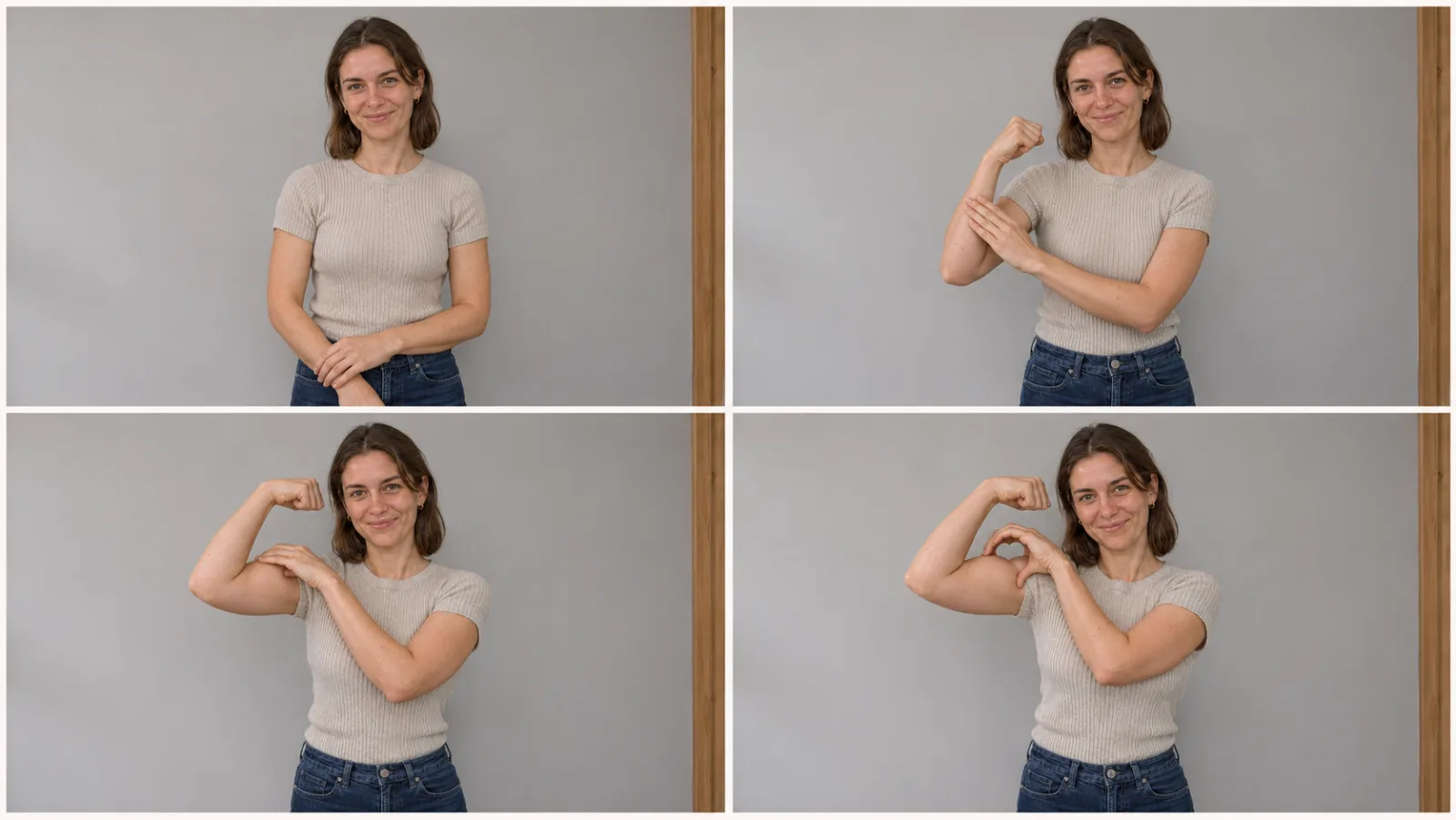
- Start relaxed. Face the camera, arms down, shoulders level. Short sleeves, a tank top or bare arms — anything that lets the bicep line be visible.
- Flex one arm. Bend that arm up so the fist sits beside and slightly above your ear on the same side. The elbow points down and out, not forward. Big muscles are not required and are not the point.
- Curl the other hand high. Reach across your body and rest your free hand on the upper arm, just below the fist — not down at the elbow. Curve the fingers over the bicep and turn the thumb downward so the hand and the arm enclose a small gap.
- Hold. Two full seconds, minimum, so a viewer scrolling at speed can read the shape before the clip ends.
Three failure modes of the human version map directly onto the AI version. The hand sits too low, near the elbow, and the gap closes into an armpit. The fingers stay flat against the arm and there is no enclosed space at all. The camera moves or the person turns, and the heart, which only exists from one angle, disappears.
This is why a fixed camera matters in the trend clips and why the good AI renders keep the framing locked. A heart made of a hole is a fragile optical object. Any parallax kills it.
What it is not: the overhead two-arm heart, the finger heart near the face, or the two-handed heart on the chest. A generator that returns any of those has misread the request, and you should notice that before you post rather than after.
Where the trend came from, and how narrow the window is
The timeline is short enough to state precisely, with the usual caveat that meme provenance is messier than the first write-up suggests.
Know Your Meme dates the trend to the end of October 2026 and credits TikTok user @kavithageorge as the first known poster, with that clip passing 5.3 million views in under a week. Third-party trend trackers put an earlier post by @mckennacrisp on October 31 and count more than 4.3 million plays on a second upload by November 5. By the first week of November, one-photo generators and how-to pages were already going up, several of them within days of the original.
That speed is the most important fact in this article, and it is the one the trend pages bury. The gap between "a creator posts a pose" and "a marketplace sells a template for the pose" has compressed to roughly 48 hours. By the time you read a comparison table of fourteen bicep heart tools, that table is describing a market that did not exist a fortnight earlier, with domains that were registered to catch the search rather than to serve the pose.
Two structural things made this trend easy to industrialise. The first is that it is a single actor doing a single movement in a fixed frame with no dialogue and no cut. That is the exact shape of clip a template can own. The second is that the motion is repeatable — the same four beats in the same order — so the "prompt" can be a reference clip rather than a paragraph of text.
The sound is a separate matter and deserves its own warning. There is no single official song. The most commonly attributed track is a slowed edit that trackers file as "Wyw My Sweetie" (Super Slowed), uploaded to TikTok as "original sound – trendformusic". Different sites credit different audio, because trends travel through re-uploads and one creator's saved edit becomes someone else's sound page. If you are posting from a personal account, add the sound inside the app. If you are posting from a brand account, assume the trending audio is not licensed for you and use the platform's commercial library instead.
Why one photo is enough, and what the model is actually doing
The mental model most people carry into these tools is face swap, and it leads them to make the wrong decisions about photos. So it is worth being precise about the difference.
A face swap keeps the source footage and pastes a new face over the head region, frame by frame. On a slow, front-facing shot it can look convincing. On an action where an arm rises past the face and a hand crosses the body, it falls apart: skin tone stops matching at the neck, hair edges flicker against the moving arm, and the face drifts whenever the head rotates.
A photo-to-video generator does something else. It takes your still for identity — face shape, hair, skin tone, clothing — and combines it with a motion reference for everything else: the timing of the flex, the reach of the free hand, the closing hold, the camera height, the room. Then it synthesises a new video in which a person resembling your photo performs that motion. Because the whole frame is generated together, the light on the face matches the light in the room, and there is no seam to find.
That is why one photo is enough, and why a second photo is neither required nor useful for this particular pose. The bicep heart is a solo gesture. There is no second performer, no handoff, no relationship to establish. Adding another person does not make the joke better; it makes the model's job harder, because it now has to keep two identities coherent in a frame where one of them is doing something intricate with their hands.
It is also why the tool cannot keep your background. A motion-reference render rebuilds the room along with the person; the model is not compositing you into your kitchen. On Bicep Heart AI that trade is explicit: every clip uses the same simple indoor setting and the same handheld camera feel, and your look, hair and outfit come from the photo. If the location matters to you — your gym, your apartment, the view — this is the wrong class of tool and you should film the pose instead.
The cost of that trade is visible in the renders. The site publishes its own test outputs with the flaws labelled, which is rarer than it should be, and the honest summary is: likeness holds, the heart closes, and the arms come out more muscular than the source photo. A slim arm is the most likely thing to drift. Sleeves can also change as the model pushes them up — one documented test rolled a short sleeve cleanly, another turned it sleeveless.
The photo checklist that decides your result
Everything upstream of the render button is a photography decision, and this is where most wasted credits come from. The model can only animate what it can see, and the heart depends on three things being visible at once: the bicep, the hand that will curl onto it, and the space between.
Do:
- One adult, waist-up, facing the camera. Head, shoulders, both elbows and both hands inside the frame.
- Leave room above your head. The raised fist needs somewhere to go. A tightly cropped portrait gives the model nowhere to put the flex and it will either crop the arm or shrink it.
- Show your arms. Short sleeves, a tank top, bare arms. A hoodie, a jacket or crossed arms removes the exact surface the heart is built on.
- Use soft, even light. Daylight from a window is ideal. Hard overhead light carves shadows that the model will reproduce as strange muscle definition.
- Keep it sharp. A slightly noisy or soft phone photo produces a soft face, and a soft face across seven seconds reads as a stranger.
- You do not need to be flexing already. The generator animates the movement from a relaxed stance. Posing mid-flex in the source photo often produces a render that starts at the end.
Avoid:
- Group photos, or photos where a second person is partly in frame. The model has to choose an identity and may blend them.
- Tight face selfies. There is no arm in them.
- Hands in pockets, hands behind the back, hands holding a phone.
- Sunglasses, heavy beauty filters, hats that shade the eyes. All of them flatten the features the model uses for likeness.
- Cropped-at-the-shoulder photos, which is the most common cause of a render where the arm is cut off mid-flex.
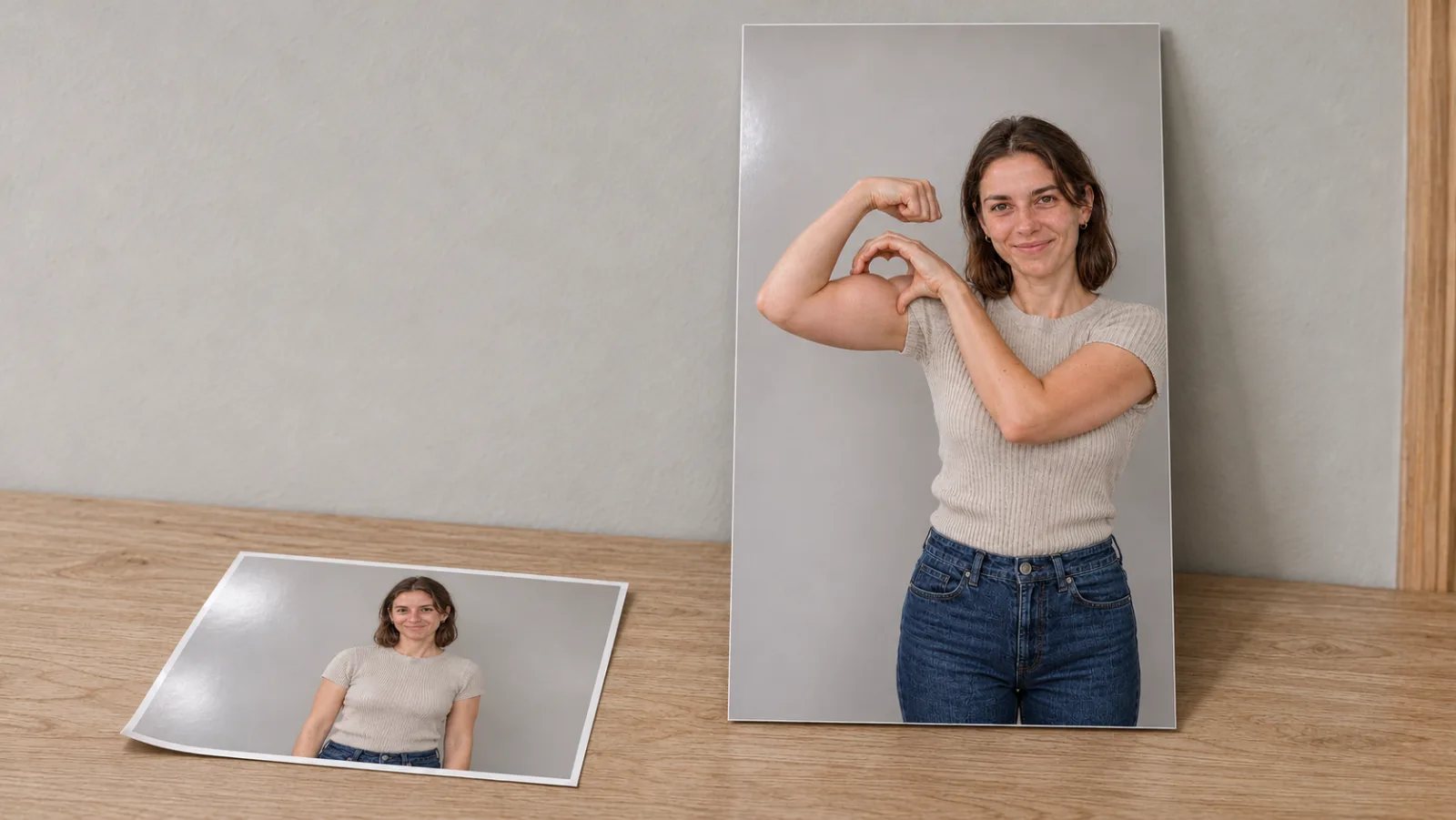
Format limits are ordinary: JPG, PNG or WebP, up to 10 MB, at least 300 × 300 pixels. A modern phone photo is comfortably inside all of that, and the uploader resizes before sending, so there is no benefit to pre-shrinking. The photo guide on the site goes through framing, sleeves and consent in more detail than fits here.
The workflow, start to finish
The entire job runs in a browser tab. No app, no timeline, no prompt to write.
Step 1 — Open the generator and add your photo. Upload the one waist-up image. If the photo is taller than 9:16 it gets trimmed to the vertical frame, so check that the trim does not cut a hand. Confirm the consent line: the person in the photo is you, or an adult who agreed, and is not a celebrity or public figure. That checkbox is not decoration; it is the rule the site enforces and the rule your platform enforces too.
Step 2 — Choose resolution. Standard 480p costs 6 credits for roughly seven seconds. HD 720p costs 13. The trade is straightforward: vertical video is watched a hand's width from a face, so 720p looks meaningfully better on a phone, and it costs slightly more than double. The sensible order is a 480p test first, then a 720p re-render of the version you actually like. The credit total appears on the button before anything is charged, and there is no free preview — the genuinely free route to this trend is doing the pose yourself.
Step 3 — Choose the sound. The default lays the trend clip's original audio onto your render, timed to the action. Silent gives you a clean file for adding a track inside TikTok or Instagram, where your account's music rules apply and the post gets tied to the sound page. For a personal account the default is convenient; for a brand account, pick Silent.
Step 4 — Render. Wait time depends on the queue rather than a fixed timer — plan for minutes, not seconds, and expect longer when the trend is peaking. You can close the tab; the finished clip is saved to My Creations and stays available to replay or download without spending more credits. If a render fails outright or a safety filter stops it, the credits come back automatically.
Step 5 — Watch the whole thing before you download. Not the last frame. The whole clip. Four specific things to check, in this order: does the heart gap actually read at phone size; is the curled hand high on the upper arm rather than down at the elbow; are there two arms, two hands and a plausible number of fingers; and does the face still look like the photo at second six as clearly as at second one. The examples page shows two real renders with their inputs and their flaws, which is a faster way to calibrate your expectations than any marketing copy.
Step 6 — Post it properly. Download the MP4, add the trend sound in-app if you exported silent, turn on the AI-generated label, and caption it for recognition rather than explanation. The caption that works is short: who the heart is for, or the joke, not a description of the pose.
What one render actually costs
Video generation is paid compute, so there is no unlimited free tier anywhere in this category, and any page promising one is selling a still image or a sign-up wall. The honest comparison is price per seven-second vertical clip, at the resolution you would actually post.
On bicepheart-ai.video, at the time of writing, credits are sold as one-time packs: $5.99 buys 6 credits (exactly one 480p render), $12.99 buys 18 (three 480p, or one 720p plus change), and $19.99 buys 30 (five 480p, or two 720p). Pack credits do not expire and nothing renews. There is no subscription.
| Route | Typical price per clip | What you get |
|---|---|---|
| Film it yourself | Free | A real video of you doing the pose |
| Still-photo edit (chat assistants) | Often free, or inside a plan | One picture, not a moving clip |
| Slideshow / effect template | Free to cheap | Your photo with zoom or effects; arms do not move |
| Bicep Heart AI (480p) | 6 credits, from $5.99 one-time | About 7 s, 9:16, MP4, no watermark |
| Bicep Heart AI (720p) | 13 credits | The same clip, sharper on a phone |
| Rival one-photo sites | Roughly $2 to $10 per clip | Seven-second shape, different model and room policy |
The spread in that last row is the thing to be careful about. A cheaper credit is not a cheaper version of the same product if the rival renders five seconds, keeps your background, produces the overhead two-arm heart, or hands back a watermarked file. Compare four fields before you buy: length in seconds, resolution, whether the output is watermarked, and whether the pose is the one-arm version. A site that is vague about any of those is not cheaper, it is just less specific.
The eight ways a bicep heart render fails
Knowing the failure modes in advance is worth more than any prompt advice, because there is no prompt.
The heart never closes. The most common miss. Fingers stop short of the bicep, or the gap is too wide and reads as a random hand gesture. Usually a source-photo problem: the hand was out of frame or the sleeve covered the bicep.
Fingers merge into the arm. Two digits become one, or a fingertip disappears into the muscle. This is the classic video-model hand failure, made worse here because the hand is in contact with skin, so there is no background edge to separate the shapes.
The hand lands too low. Down near the elbow, which turns the heart into an armpit crease. The model has learned "hand on arm" but not "hand high on the upper arm just below the fist."
An extra finger, or a double thumb. Less common than merging, more obvious. A re-render sometimes fixes it, but a sharper source photo fixes it more reliably.
The arm inflates. Slim or average builds come out visibly more muscular. This is documented in the site's own tests. If your arms looking like your arms matters to you, this class of tool will frustrate you and filming is the better answer.
The sleeve changes. A short sleeve that becomes sleeveless as it is pushed up, or a neckline that shifts. Tank tops and fitted tees give the most predictable result.
Facial drift. The likeness is strongest in the first second and softens by the last. Viewers usually forgive it because attention has moved to the movement, but it is worth checking before you post something you will be tagged in.
The background is not yours. Every clip uses the same simple indoor room. If you expected your gym, this is not a bug, it is the architecture of a motion-reference render.
Two practical notes on fixing them. First, a re-render is a new attempt, not a correction — it sometimes resolves hands and sometimes produces a different hand problem. Second, improving the photo does more than re-rolling the same image, because most of these failures trace back to something the model could not see.
Casting and captioning it so it is not just another thirst trap
The format is fixed, which means the only real creative decision left is what you do with it. The trend began as a flex-and-flirt clip, and that version still works, but the reposts that travelled furthest were the ones that changed the joke rather than the pose.
A few that consistently land:
The reply. "Send this to the person who..." Caption it for one specific person and the comment section does the distribution for you. This is the lowest-effort, highest-return version.
The milestone. A gym account marking a number, a physiotherapy account marking a range of motion, a recovery account marking a first flex after injury. The pose is a flex; the story is why the flex matters. This is the only version of the trend with a genuinely non-thirst-trap framing, and it is under-used.
The couples and friends version. In the filmed trend, a partner's bicep becomes the frame around the other person. The one-photo AI version cannot do that — it is a solo pose and the site is explicit that group and pet inputs are not supported. If you want the two-person joke, film it.
The deadpan family version. A parent, a grandparent, an uncle at a wedding, doing the pose with total commitment and no explanation. The humour is the gap between the gesture's cultural meaning and the person performing it.
The brand-account version, done carefully. Do not use the trending audio, do not use a customer's photo, and do not imply a celebrity endorsement. Use a licensed track, label the post as AI, and keep the pose as a wink rather than the whole ad.
What does not work: casting a public figure. Every generator in this category forbids it, every major platform restricts realistic synthetic video of real people, and the clip is not funny enough to be worth the risk. Same for anyone under eighteen, and same for a friend's photo uploaded without asking — permission to animate is not permission to post.
The rules that actually keep the post up
Adults only. No exceptions, no "it's just a family photo." AI video of a minor in a trend scene is the exact category platforms remove fastest.
Consent is two questions, not one. "Can I animate this photo?" and "can I post the result?" are separate permissions, and people agree to the first far more readily than the second.
Label it. TikTok, Instagram and YouTube all provide an AI-generated disclosure. One tap, and the post stays in good standing. It also improves the joke, because viewers who know it is a recast are in on the premise.
Do not claim it is real. A generated clip is a new performance made from a photo. Presenting it as footage of you filming the pose is the fastest route from a funny post to a removed account.
Music is a separate licence. The trend sound belongs to whoever made it. Adding it through the platform's own picker keeps licensing on the platform's side for a personal account. Brand accounts need the commercial library or a real licence.
Assume the tool's rules are real. bicepheart-ai.video states plainly that it is independent, that it is not affiliated with TikTok or with the creators who popularised the trend, and that generated clips should be labelled. Take that at face value: it is a fan-made generator for a pose, not an official effect.
Is this format worth your time?
Here is the part that most trend guides will not say, because most of them are selling the render.
A trend like this has two lives. The first is the cultural wave, which for the bicep heart is a matter of weeks. The second is the format's afterlife as a repeatable template — something people reach for when they want a specific kind of clip, the way a "first time in a fancy cafe" skit or a "tiny desk" setup became recognisable rather than merely current. Formats survive; individual waves do not.
Where the bicep heart sits is genuinely uncertain, and the uncertainty is structural rather than editorial. The pose is charming but narrow: it is a solo gesture, it has no dialogue, and it does not easily absorb a second character. Those are the same properties that made it cheap to template, and they are also the properties that cap how many variations exist. The trend produced its obvious remakes — couples, pets, gym milestones — within ten days. There is not an infinite supply of next moves.
So the honest advice is proportionate. If you want to be in the clip everyone is posting this week, one render at 480p is a fair price for a few hours of relevance, and the workflow above will get you a postable file in one attempt if your photo is good. If you want a channel strategy, this is one format among hundreds, and the interesting skill being built right now is not "how do I make a bicep heart video" — it is "how do I read a trend fast enough to template it, and how do I judge a generative tool by whether it preserves a likeness under motion."
That second skill outlasts the trend, and it is the one worth paying attention to. When the room is fixed and the motion is given, the only variables left are casting and craft, and both are visible immediately. A melted hand or a face that drifts at second six is no longer hidden by an interesting prompt. The question stops being "what can this model generate" and becomes "how well does this model keep one person looking like themselves while their hand makes a hole in the air." That is a much harder benchmark, and it is the one the next wave of these tools will be judged on.
If you would rather build the scene yourself with your own photos and prompts instead of animating somebody else's pose, the Happy Horse 2 studio runs several video models from one place and leaves the direction to you. Different job, same underlying question about likeness.
FAQ
What is Bicep Heart AI?
It is the name for both the viral one-arm pose and the browser tools that animate a photo into it. The pose: one arm flexed with the fist beside the ear, the other hand curled over the top of the bicep, thumb down, so the gap between them reads as a small heart. The tool at bicepheart-ai.video takes one waist-up photo and returns a vertical 9:16 MP4 of about seven seconds.
Can AI really make the bicep heart pose from one photo?
Yes, and the limitation is worth understanding before you pay. The generator animates your photo into the pose using a motion reference rather than a written prompt, so the timing and framing follow the trend. What can drift: the arm may come out more muscular than in your photo, a sleeve may change as it is pushed up, and fingers can merge. Likeness and the heart shape are the parts that hold most reliably.
Do I need big biceps for the trend?
No. The heart is the shape enclosed by the bend of the arm and the curve of the fingers, so slim and average arms make the same outline. Muscle size is not the variable. Hand placement is. On very slim arms the gap can read less clearly at phone size, which is a framing problem rather than a fitness one.
How long does a bicep heart AI video take to render?
Minutes rather than seconds, and longer when the queue is deep. There is no fixed timer, because it depends on load. You can close the tab while it renders — the finished clip is saved to your account and downloads do not cost extra credits.
How much does one bicep heart AI video cost?
At 480p, one render is 6 credits, and the smallest one-time pack is $5.99. At 720p it is 13 credits. The exact total is shown on the button before you confirm, nothing renews, pack credits do not expire, and a failed render returns its credits automatically.
Is there a free bicep heart AI video generator?
Not for the video. Some rival sites offer a free still preview, which is a picture of the pose rather than a moving clip, and some offer starter credits that do not cover a full render. The genuinely free route is doing the pose yourself with a propped-up phone, which also gives you a better result if you are willing to perform it.
Why does the heart not close in my render?
Usually because the hand or the bicep was not clearly visible in your photo: hands out of frame, crossed arms, a sleeve over the bicep, or a crop at the shoulders. Fix the photo before you re-render. A second attempt is a new roll, not a correction, so the same input tends to produce the same class of miss.
Will the video keep my background?
No. Every clip uses the same simple indoor setting and handheld camera feel, so your room, your gym, and your view are replaced. Your face, hair and outfit come from your photo. If the location is part of the joke, film the pose instead of generating it.
What is the bicep heart song?
There is no single official track. The most commonly attributed audio is a slowed edit that trackers file as "Wyw My Sweetie" (Super Slowed), posted on TikTok as "original sound – trendformusic". Because trends travel through re-uploads, other sites credit other sounds. For a personal post, add the sound through the app's own picker. For a brand account, use the commercial music library.
Can I use a photo of a friend, my partner, or a celebrity?
A friend or partner: only if they are an adult and agreed to both the animation and the posting. A celebrity or public figure: no, and the tool blocks it. A minor: never.
Make your own
The bicep heart is a rare trend where the hard parts are already solved. The pose, the timing, the room and the camera are fixed, and the only decision left is whose face goes in the frame. Pick one bright, sharp, waist-up photo of a consenting adult with both arms visible and room above the head, render once at 480p to see whether the likeness holds, watch the whole clip rather than the last frame, and label it as AI when you post.
If the hands betray you, fix the photo before you spend another credit. If it lands, re-render the one you like at 720p and post the pair.
When you are ready, make your bicep heart video from one photo and find out how your own face handles a heart made of nothing at all.