Have you scrolled past a dozen versions of the same red-lit street freestyle this week, each one starring a different face? That is the Bulin 47 AI trend, and it is one of the clearest examples so far of a viral video turning into a reusable template. This guide explains where the original Bulin 47 freestyle came from, why it spread so fast, how a one-photo AI video generator recreates it, and how to make and post your own version without the usual mistakes.
If you just want to try it, Bulin 47 AI is a browser tool built for exactly this clip: you upload one photo and get a vertical MP4 back with you in the performer's spot. The rest of this article is for people who want to understand what is happening under the hood before they spend credits.
What Is the Bulin 47 Freestyle?
Bulin 47 is the stage name of Hancel Teodoro Vargas Reynoso, a Dominican urban artist who first became known for comedy videos before moving into dembow music. According to Latination's write-up of the moment, the freestyle happened outside a restaurant in Spain, when content creator Kevin Wai (often searched as "Kevin Way") walked up with a portable speaker playing a dembow beat. Instead of brushing it off, Bulin 47 answered on the spot with improvised bars and big, expressive hand gestures.
Most accounts date the clip to October 2, 2026, and place it in Madrid at night, in front of an entrance washed in red light. Both men posted their recordings the same day. Within a week, Dominican outlets were reporting tens of millions of views across platforms: Ntelemicro put the original above 70 million plays, while other reports cited more than 50 million. The exact figure depends on which posts and platforms you count, so treat any single number with some caution.
Bulin 47 leaned into the attention, thanking fans in a video and declaring that every day until December would be "Bulin Day." That reaction matters, because a trend tends to keep going when the original artist visibly enjoys it.
Why the Bulin 47 Viral Video Became a Template
Plenty of clips go viral and then disappear. The Bulin 47 viral video did something different: it became a format that other people could step into. Looking at the clip closely, a few properties explain why.
It is short, vertical and filmed in one take. The freestyle looks like something anyone could have filmed on their own phone. There are no cuts to reconstruct, no studio lighting and no special effects. When a remix looks equally rough, it feels native rather than fake.
One performer stays in the center of the frame. For most of the clip, Bulin 47 holds the middle of the shot while the camera moves with him. For an AI model, that is close to the ideal reference: one body and one face to follow from the first frame to the last, without people walking in front of him or the camera cutting away.
The gestures carry the joke. The humor lives in the hand movements, the head tilts and the confidence of the delivery, not in the exact words. That means the moment survives when the face changes. Viewers recognize the choreography instantly, so a new face in the same moves reads as a punchline.
The setting is unmistakable. The deep red light, the night street and the speaker held up next to the performer make the clip recognizable from a single frame. Every remix inherits that visual identity for free.
Early remixes were the usual duets, lip-syncs and dance copies. Then creators started using AI to swap the performer for footballers, politicians and friends. Reports describe versions with Lionel Messi, Cristiano Ronaldo, Kylian Mbappé and Erling Haaland in Bulin's place. That celebrity wave pushed the original even further, but it also raised obvious consent problems, which we will come back to later.
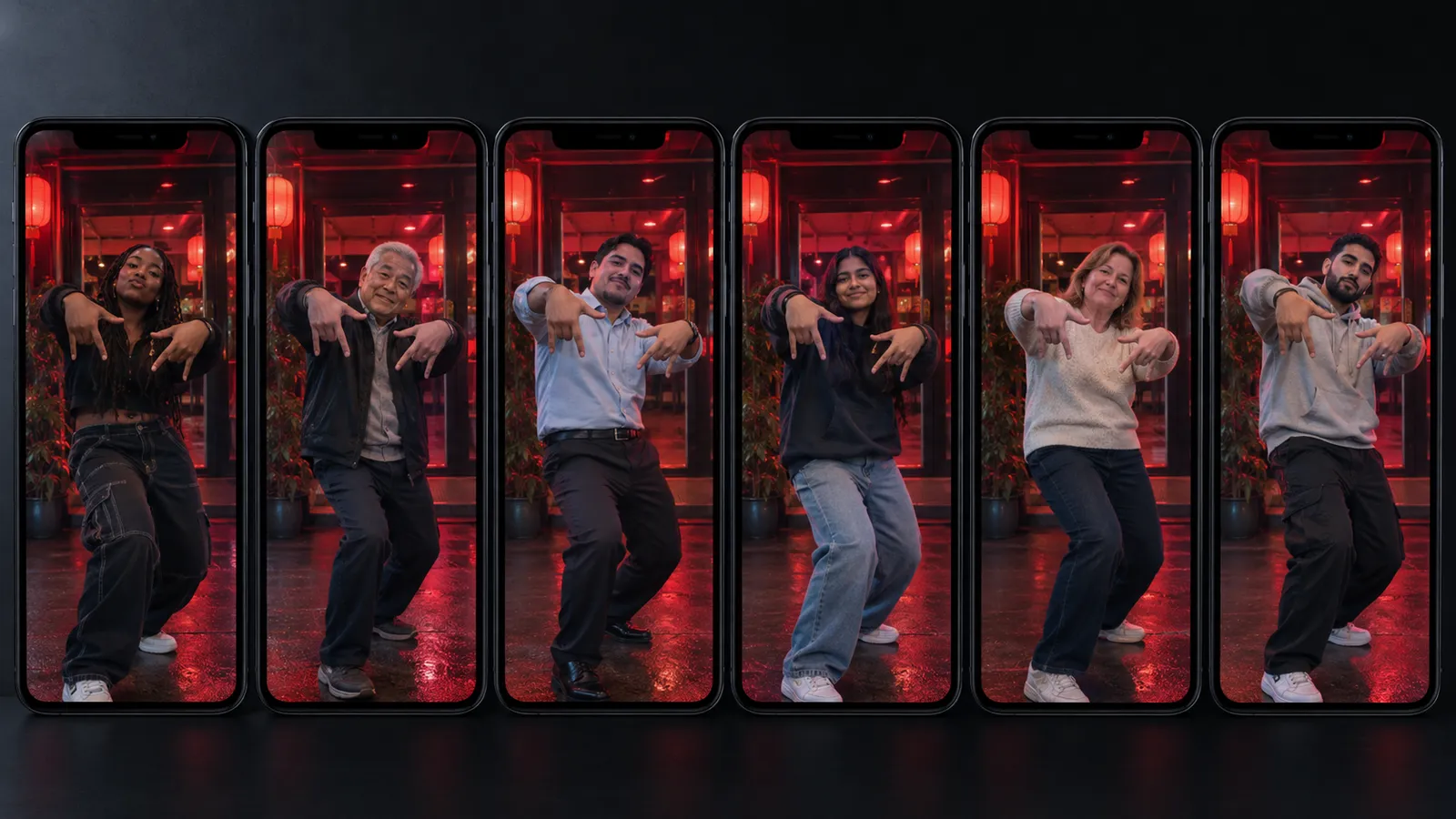
What Is Bulin 47 AI?
Bulin 47 AI is an independent, fan-made AI video generator focused on one job: recasting the trending freestyle with you as the performer. It runs in a mobile or desktop browser, so there is no app to install and no CapCut project to edit. The site is upfront that it is not affiliated with Bulin 47, Kevin Wai, their labels or any AI model provider.
The workflow is deliberately narrow. You do not write a prompt or describe the scene. The template already supplies the moves, the crowd and the handheld camera, and your photo supplies the face and appearance. The output is a short vertical MP4 sized for TikTok, Instagram Reels and YouTube Shorts.
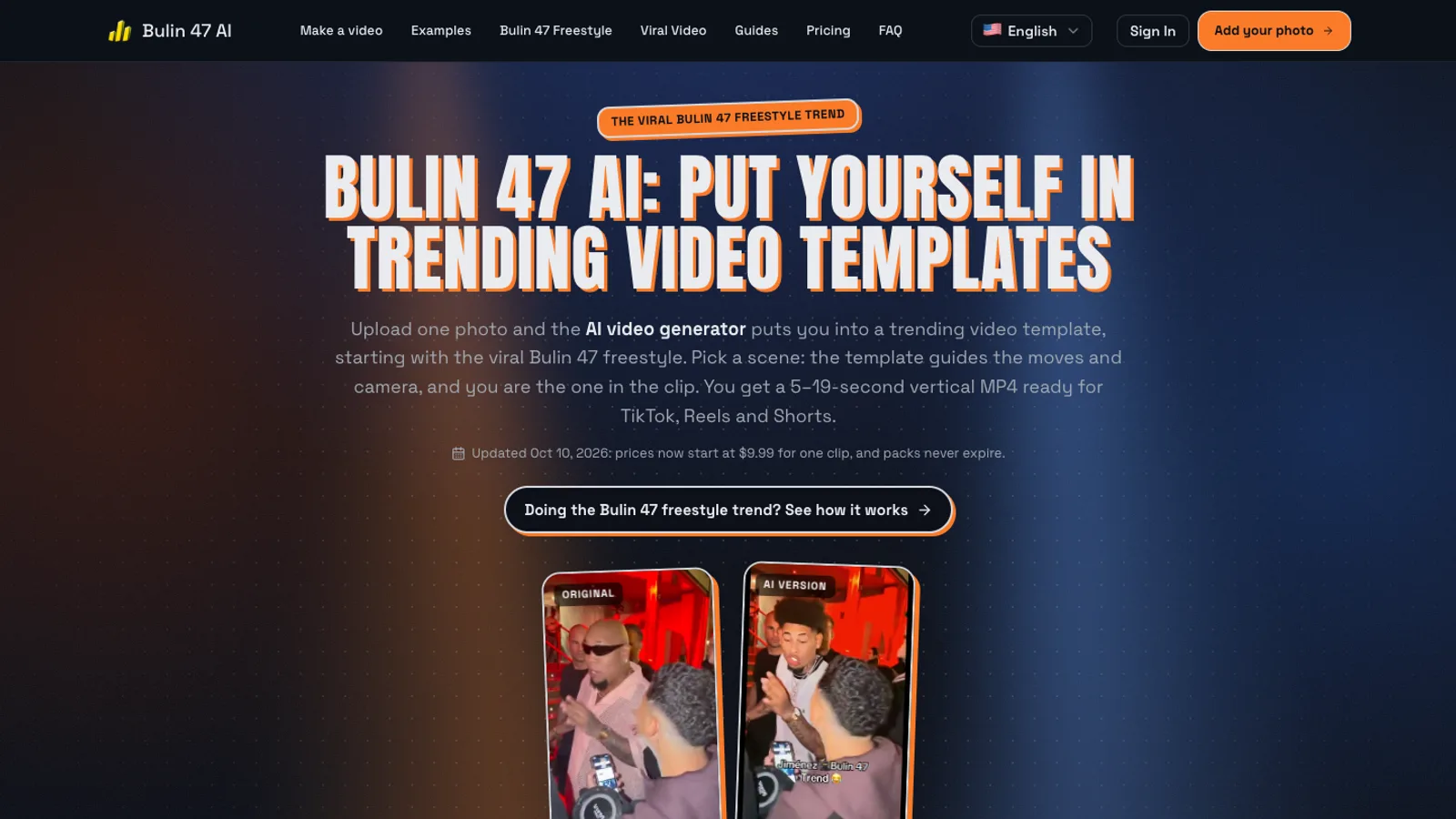
Under the hood, the site lets you choose between two generation models. The Standard option uses Seedance 2.0 and produces clips from 5 to 15 seconds. The Extended option uses Seedance 2.5 and costs more per second. You can also pick 480p or 720p, a length of 5, 8, 10, 12 or 15 seconds, and a 9:16, 1:1 or 16:9 frame. Renders usually take around five to ten minutes, and finished clips are saved to a "My Creations" history, so you can close the tab while it works.
How a One-Photo AI Video Generator Recreates the Freestyle
It helps to know which kind of AI is doing the work, because it explains both the strengths and the quirks of the results.
Face swap versus video-to-video recasting
A classic face swap app keeps every pixel of the original video and pastes a new face onto the head region, frame by frame. It is fast, but the result often looks like a mask. Skin tone, hairline and lighting do not match, and the face slides around when the head turns quickly.
A video-to-video recast works differently. The model receives two inputs: a reference video that defines motion and camera, and a reference image that defines who should appear. It then generates a new video in which a person who looks like your photo performs the reference movement. Hair, skin, clothing and lighting are all synthesized together, so the person looks like they were actually standing there. This is the approach Bulin 47 AI uses with Seedance, and it is why the clips feel less pasted-on than a traditional swap.
The trade-off is that the model is generating rather than copying. The reference guides the steps and the camera, but exact timing, background details and fine hand positions are not guaranteed to match the original frame for frame. Fast spins and complex finger gestures are the hardest moments for current models, so small artifacts there are normal.
Why ChatGPT cannot make this clip
A common question is whether a chatbot can make the Bulin 47 AI video. A general chat assistant can write a caption, brainstorm a hook or generate a still image, but it does not take a specific reference video plus your photo and return a recast MP4. You need a video model that accepts motion references, which is exactly what a template-based tool wraps up for you.
Where the sound comes from
The generation model produces the picture. Bulin 47 AI then adds the original freestyle audio afterward and trims it to your clip length. Lip sync can vary between renders, and if the audio step fails, the clip may come back silent. Many creators prefer to add the trending sound inside TikTok or Reels anyway, because the platform's own sound picker handles music licensing and connects the post to the trend page.
How to Make Your Own Bulin 47 AI Video
The whole process takes a few minutes of your time plus the render wait. Here is the practical version.
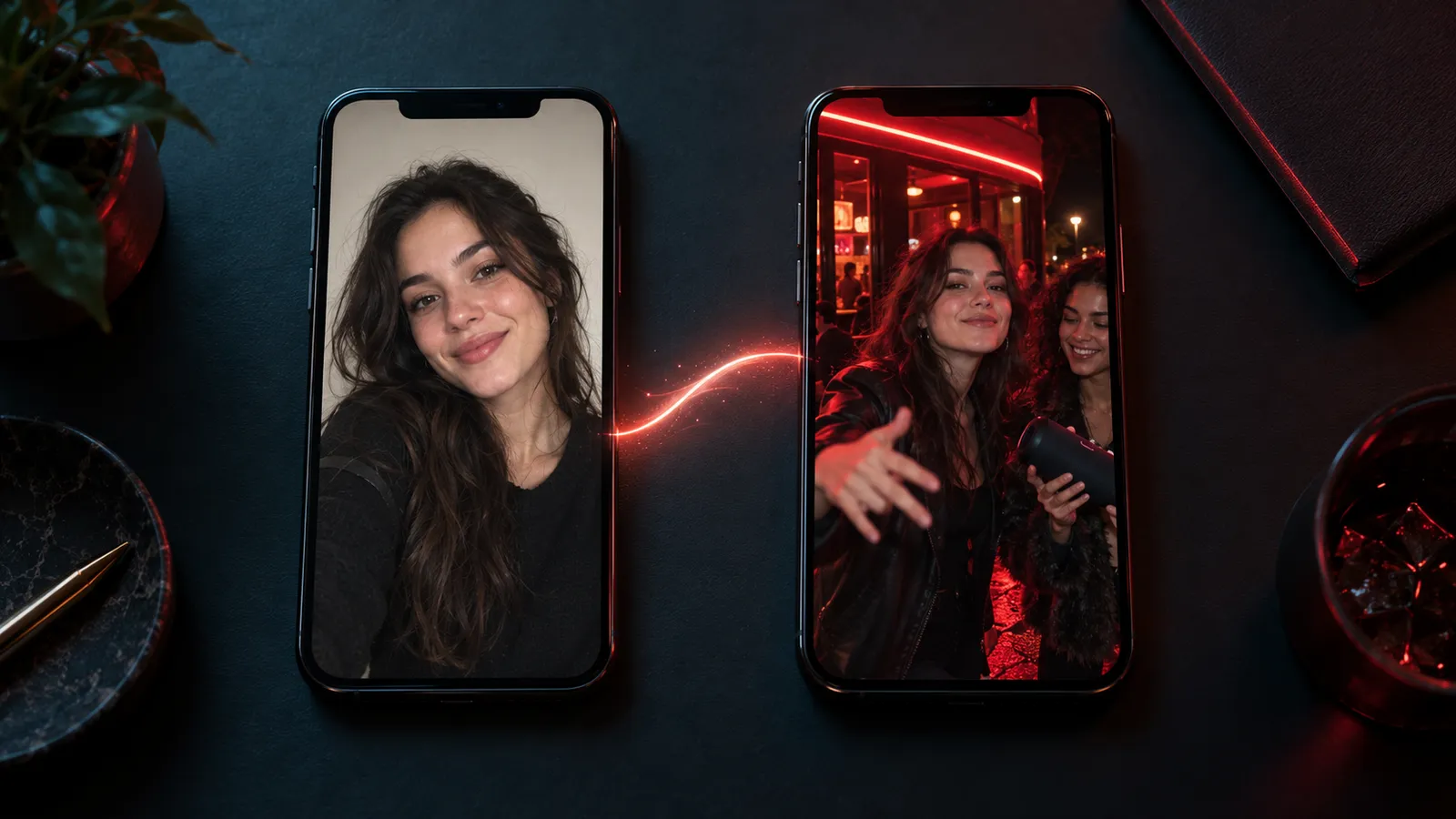
Step 1: Pick the right photo
The photo is the single biggest factor in how good your clip looks. Use one that meets these rules:
- One person only. Group shots confuse the model about whose face to use. The tool warns you about group photos before you spend credits.
- Front-facing. A straight-on or slightly angled face works best. Strong side profiles give weaker likeness.
- Even, bright light. Daylight by a window or a well-lit room beats a dim bar photo. Small or dark images tend to produce blurry faces.
- Nothing covering the face. Take off sunglasses and avoid hats that shade the eyes.
- JPG, PNG or WEBP. The browser resizes the image before upload, and very tall photos are trimmed automatically.
Step 2: Open the template and upload
Go to the Bulin 47 freestyle template and tap the upload area. On a phone this opens your camera roll, so you can pick a recent selfie directly.
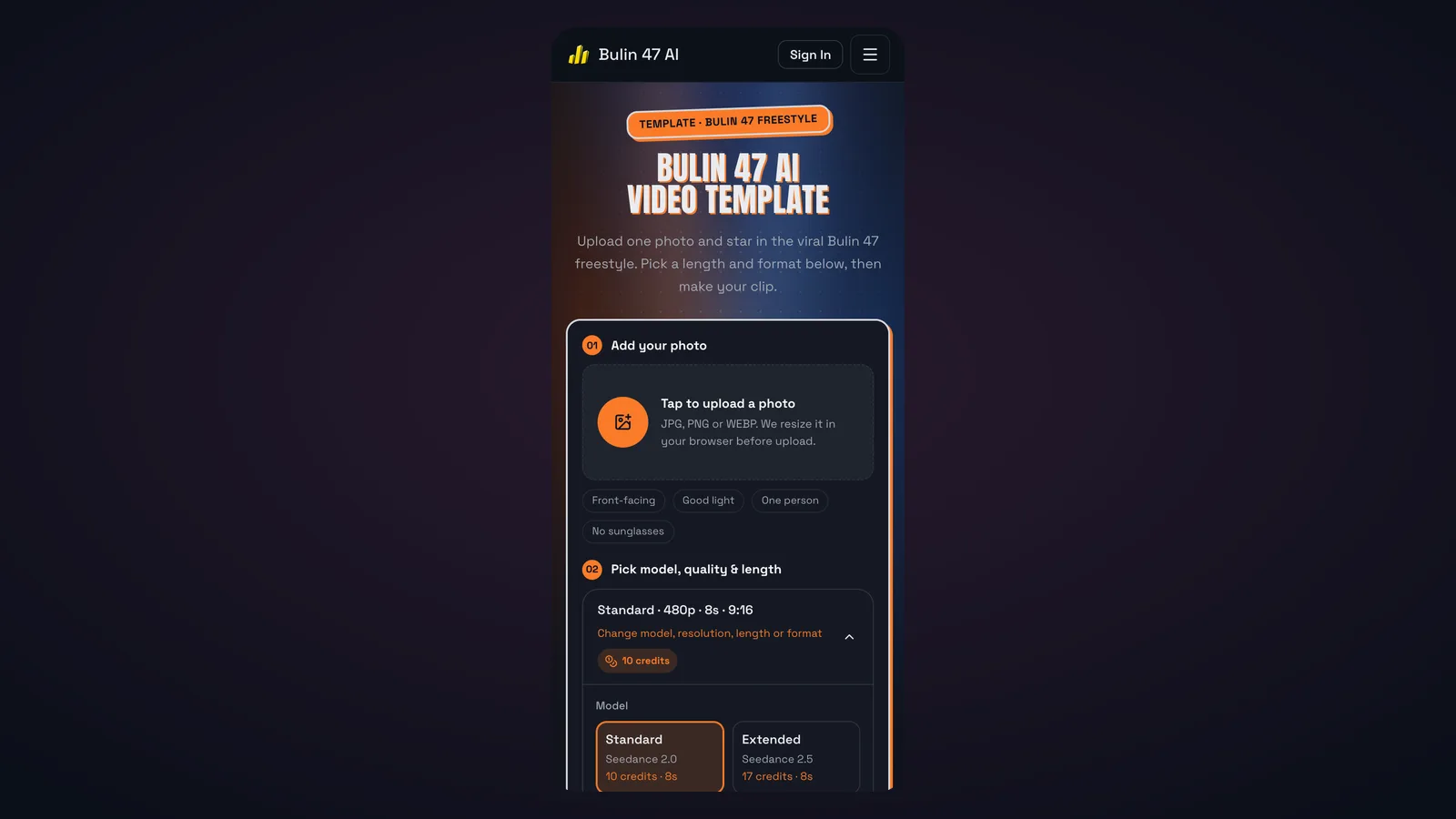
Step 3: Choose model, resolution, length and format
The default is Standard (Seedance 2.0), 480p, 8 seconds and 9:16, which costs 10 credits at the time of writing. A few guidelines:
- For a first test, keep the defaults. You will learn quickly whether your photo works before paying for a longer or sharper clip.
- Go to 720p for a clip you plan to post widely. The extra sharpness is noticeable on large phone screens, but it more than doubles the cost at longer lengths.
- Choose length by the moment you want. Shorter clips use the beginning of the original performance, so a 5-second clip will not include the later gestures.
- Stay vertical for TikTok, Reels and Shorts. Use 1:1 or 16:9 only if you are posting somewhere that crops vertical video badly.
Step 4: Generate, wait and download
Press the generate button and let it run. Expect around five to ten minutes, longer when the trend is peaking. You can leave the page; the finished MP4 appears in My Creations. If a render fails or a photo is blocked by the safety check, the credits go back to your balance automatically.
What Bulin 47 AI Costs
Each render runs on a paid AI video model, so there is no unlimited free tier. Registration does not include free credits. Instead, the site sells one-time credit packs that never expire, plus monthly plans for heavier users. As of October 2026, the Bulin 47 AI pricing page lists these options:
| Option | Price | Credits | Best for |
|---|---|---|---|
| Single pack | $9.99 one-time | 10 | Trying one clip |
| Duo pack | $29 one-time | 50 | A few versions with friends |
| Crew pack | $99 one-time | 350 | Regular posting |
| Basic plan | $29.90 / month | 100 per month | Steady weekly creators |
| Pro plan | $49.90 / month | 300 per month | Daily posting |
Credit costs depend on the settings you choose. A few reference points from the site's own tables:
- 5 seconds, Seedance 2.0, 480p: 7 credits
- 8 seconds, Seedance 2.0, 480p: 10 credits
- 12 seconds, Seedance 2.0: 15 credits at 480p, 33 at 720p
- 15 seconds, Seedance 2.0: 19 credits at 480p, 42 at 720p
- 12 seconds, Seedance 2.5: 26 credits at 480p, 57 at 720p
The practical takeaway is that resolution and model choice matter more than length. If you are on the Single pack, one 8-second 480p clip fits; a 15-second 720p clip does not. Prices on a trend tool can change quickly, so check the live page before buying.
Bulin 47 AI Versus Other Ways to Join the Trend
You have more than one route into a trend like this. Each makes sense for a different person.
Film it yourself. Free, and the most authentic version of all. It also needs a friend, a speaker, a red light and the confidence to freestyle on a street. Most people do not get past the confidence part.
A face swap app. Usually cheap or free with a watermark. It works acceptably on slow, front-facing shots, but the Bulin 47 freestyle is all head turns and hand movement, which is where swaps tend to slip and flicker.
A CapCut-style template. Good for overlays, captions and simple effects. It does not generate a new performer, so you are still pasting your face or photo into someone else's footage.
A general AI video generator. Tools that accept a reference video and an image can produce the same kind of recast, and if you already pay for one, it may be worth trying. You will need to find a usable copy of the clip, write the instructions, set the motion reference and handle the audio yourself. A purpose-built template skips all of that.
A template-specific generator like Bulin 47 AI. You give up flexibility and you pay per clip, but you get the shortest path from one photo to a postable MP4, with the reference, settings and audio already tuned for this specific video.
Before You Share Your Clip
AI trends move fast, and a few minutes of care avoids most problems.
Only use faces you have permission to use. Your own face is fine. A friend's face is fine if they are an adult and said yes. Bulin 47 AI's rules prohibit photos of minors, public figures and anyone you are impersonating. The celebrity versions that helped the trend spread are exactly the kind of content that platforms increasingly take down, and they can create real legal exposure.
Label it as AI. TikTok, Instagram and YouTube all offer an AI-generated content label. Turning it on keeps your post in good standing and makes the joke land better, because viewers know it is a recast rather than real footage.
Use the platform's sound. Adding the trending Bulin 47 sound through the app's own sound picker ties your post to the trend page and keeps music licensing on the platform's side.
Credit the original creators. The performance belongs to Bulin 47 and the clip to Kevin Wai. Tagging them, or stitching or dueting the original post, sends attention back to the people who made the moment.
Pick a strong opening frame. The first half-second decides whether people keep watching. If your face is clearly visible in the opening, viewers get the joke immediately.
What the Bulin 47 Trend Says About AI Video
The Bulin 47 viral video and the AI trend around it make a small, funny moment, but it shows where consumer AI video is heading. A year ago, recasting a person into a moving handheld clip took a visual effects artist or a lot of patience. Now it takes a photo and a few minutes, and the interface is a single upload button.
It also shows that the best AI video use cases often are not about generating something from nothing. They are about taking a moment people already love and letting them step into it. The template provides the creativity, timing and cultural context, and the model provides the likeness. That is a different design problem from open-ended text-to-video, and it rewards narrow tools that do one clip very well.
If you are interested in the broader side of that shift, turning your own photos and prompts into short cinematic clips rather than recreating someone else's moment, you can explore the Happy Horse 2 image-to-video studio, which supports several video models in one place.
Bulin 47 AI FAQ
Is Bulin 47 AI an official Bulin 47 product?
No. Bulin 47 AI is an independent fan-made tool. It is not affiliated with or endorsed by Bulin 47, Kevin Wai, their labels or the companies behind the AI models it uses.
Do I need to dance or film anything?
No. You only need one clear photo. The moves, crowd and camera come from the original freestyle template.
Is Bulin 47 AI free?
Not completely. Each render costs credits because it runs on a paid video model, and new accounts do not include free credits. The cheapest entry point is a one-time pack starting at $9.99, and failed renders are refunded automatically.
How long does a Bulin 47 AI video take?
Usually five to ten minutes, sometimes longer when the trend is busy. Clips are saved to your history, so you do not need to keep the page open.
Why does my clip look slightly different from the original?
The AI generates a new video that follows the original's motion and camera rather than copying it pixel by pixel. Timing, background details, hands and lip sync can vary between renders. A sharper, front-facing photo usually improves the likeness the most.
Can I put a friend or a celebrity in the freestyle?
A friend, yes, if they are an adult and agreed. Celebrities and other public figures, no: the tool's rules block them, and posting a realistic fake of a real public person can break platform rules and the law in many places.
Make Your Own Bulin 47 Freestyle Clip
The Bulin 47 freestyle works as an AI template because it is short, centered, gesture-driven and instantly recognizable. A one-photo recast keeps all of that and swaps in you. Pick a bright, front-facing photo, start with the default 8-second 480p setting, label your post as AI and add the trending sound inside the app. When you are ready, start your clip on Bulin 47 AI and see how you look in the most remixed freestyle of the season.