A year ago, "AI image tool" mostly meant one thing: type a sentence, get a picture, hope it was close. That is no longer how most people use these tools. The work that actually fills a week for a small brand, a YouTube channel or an indie game studio is more specific. You need the product you already sell, photographed somewhere nicer. You need a thumbnail that matches the video you just edited. You need the same character to show up in panel six looking like the character from panel one.
Those jobs have different failure modes, and a general-purpose prompt box handles them unevenly. This guide looks at Banana Pro AI, a browser-based AI photo editor online that splits those jobs into dedicated tools, and walks through five of them in depth: the AI image generator from text on the homepage, the image editor, AI product photography, the AI YouTube thumbnail maker and the consistent character AI generator. Along the way we cover what each tool costs in credits, what to upload, how to write the instruction, and which details you should never trust without checking.
Why Image Models Suddenly Got Useful for Real Work
The shift has a lot to do with the models underneath. When Google released Nano Banana Pro, the consumer name for Gemini 3 Pro Image, in November 2025, the headline features were not prettier pictures. According to TechCrunch's coverage of the launch, the model could output 2K and 4K images, render legible text in several languages, blend up to 14 reference images and keep the appearance of up to five people consistent across a result. The original Nano Banana had been limited to roughly 1024 by 1024 pixels.
Each of those features maps onto a commercial job. Higher resolution means a product shot can survive a zoomed listing page. Reliable text means a poster or thumbnail headline can be drafted inside the image. Multiple references mean you can show the model your actual bottle, your actual logo and your actual mascot rather than describing them. Consistency across people means a recurring character is finally practical.
The catch is that the raw models are general. They do not know that an Amazon main image wants a clean white background, or that a YouTube thumbnail gets shrunk to a tiny card on a phone, or that a comic needs the same jacket in every panel. That is the gap platforms like Banana Pro AI try to fill: wrap capable models in task-specific interfaces, with sensible defaults and guardrails for each job.
What Banana Pro AI Is (and What It Is Not)
Banana Pro AI is an independent web platform, not a Google product. Its homepage describes a creative engine powered by Nano Banana 2, and its model menu also lists options such as Nano Banana 3, GPT Image 2 and 2.5, Seedream 4.5 and Flux 2, plus video models like Veo 3.1, Sora 2, Seedance and Wan 2.6. In practice, each tool page picks a model and settings suited to the task. The image editor, for example, labels itself as GPT Image 2 powered editing, while the product and character tools present their own "Product Studio" and "Character Image" modes.
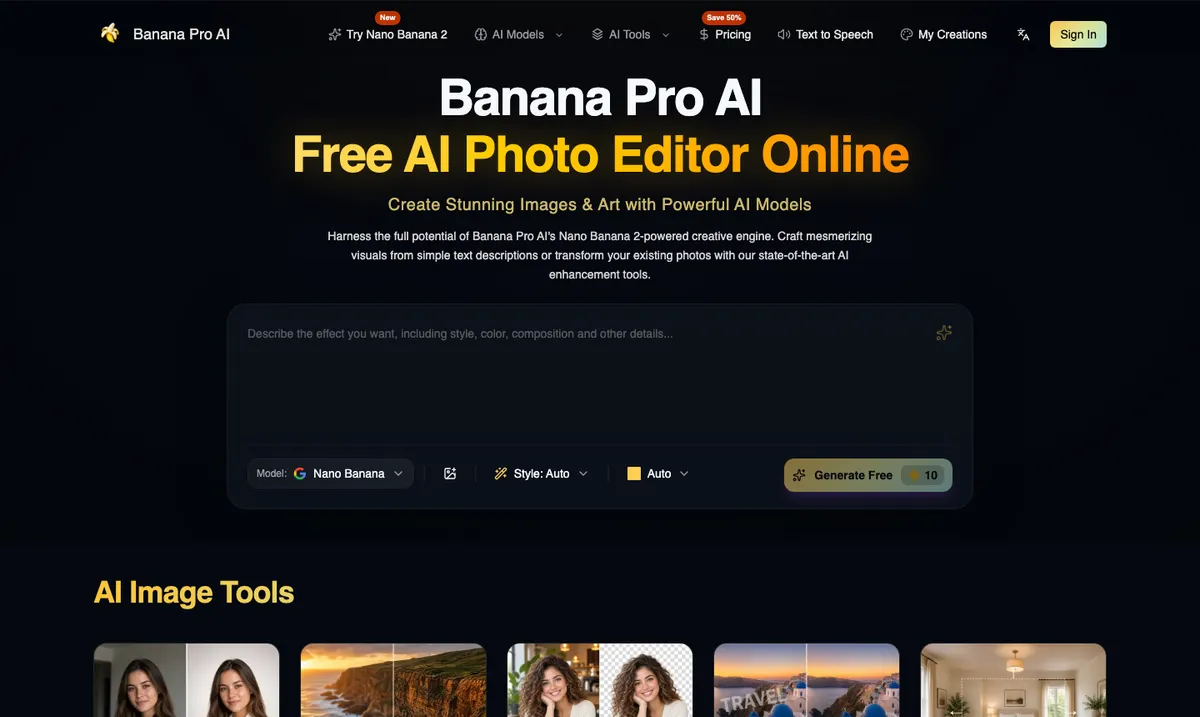
The site's "All AI Tools" catalog runs to more than a hundred entries, from background removal and upscaling to passport photos, tattoo stencils and car lowering previews. That breadth is useful, but it can also be distracting. For most people the value sits in a handful of tools that replace work they currently pay for or do by hand. Those are the ones we focus on here.
A few facts apply across the platform:
- Credits, not unlimited use. Most image tools cost 10 credits at 1K and 35 credits at 2K or 4K. New accounts start with a small number of free credits, enough to test a tool or two before deciding.
- Outputs are new images. Even the editor produces a fresh render, not a layered file. You download a JPG or PNG, not a PSD.
- Results land in My Creations, so you can come back to earlier versions instead of re-generating.
- Paid plans add a commercial use license and remove watermarks. Rights in your inputs, such as the product, logo or reference photos, remain your responsibility.
Using It as an AI Image Generator from Text
The homepage prompt box is the general-purpose AI image generator from text. You describe the scene, pick a model, a style and an aspect ratio, and generate. It is the right starting point when you do not have a source image: concept art, blog illustrations, social posts, mood boards, poster drafts.
The difference between a usable result and a generic one is almost always the prompt structure, not the model. A pattern that works well on Nano Banana class models is to write the prompt in five short parts:
- Subject. What is the main thing in the frame, and what is it doing? "A ceramic pour-over coffee dripper with steam rising" beats "coffee."
- Setting. Where is it, and what is around it? Name the surface, the background and any props.
- Light. Time of day, direction and quality. "Low morning sun from the left through a window" gives the model something concrete.
- Camera. Distance, angle and lens feel. "Close three-quarter view, shallow depth of field" or "overhead flat lay."
- Constraints. What must not appear. "No text, no logos, no people" prevents most surprise clutter.
Text inside images deserves its own note. The newer models are much better at lettering than older diffusion models, and Banana Pro AI advertises in-image text in over a hundred languages. Still, treat any generated words as a draft. Read every letter at full size before you publish, and when wording must be exact, such as a price, a legal claim or a product name, add it afterward in a normal design tool.
Using It as an AI Photo Editor Online
If you already have a photo, the AI image editor is usually a better path than generating from scratch, because the source image carries the composition, identity and geometry you want to keep. The workflow is simple: upload one source image, write what should change, optionally add reference images, pick the aspect ratio and resolution, and generate.
The editor accepts JPG, PNG and WebP files up to 20 MB, and it takes one source plus up to 15 ordered references. Aspect ratios run from 1:1 through 21:9 and 9:21, although a few unusual ratios such as 4:5 and 3:1 are only available at 1K. There is no brush, mask or layer panel. Edits are prompt-led and apply to the whole image, which is the main thing to understand before you start. If you need to repaint one specific region, the site points you to its separate Generative Fill tool.
Prompt-led editing works best when you write two halves: what changes, and what stays. A good instruction reads like a brief to a retoucher:
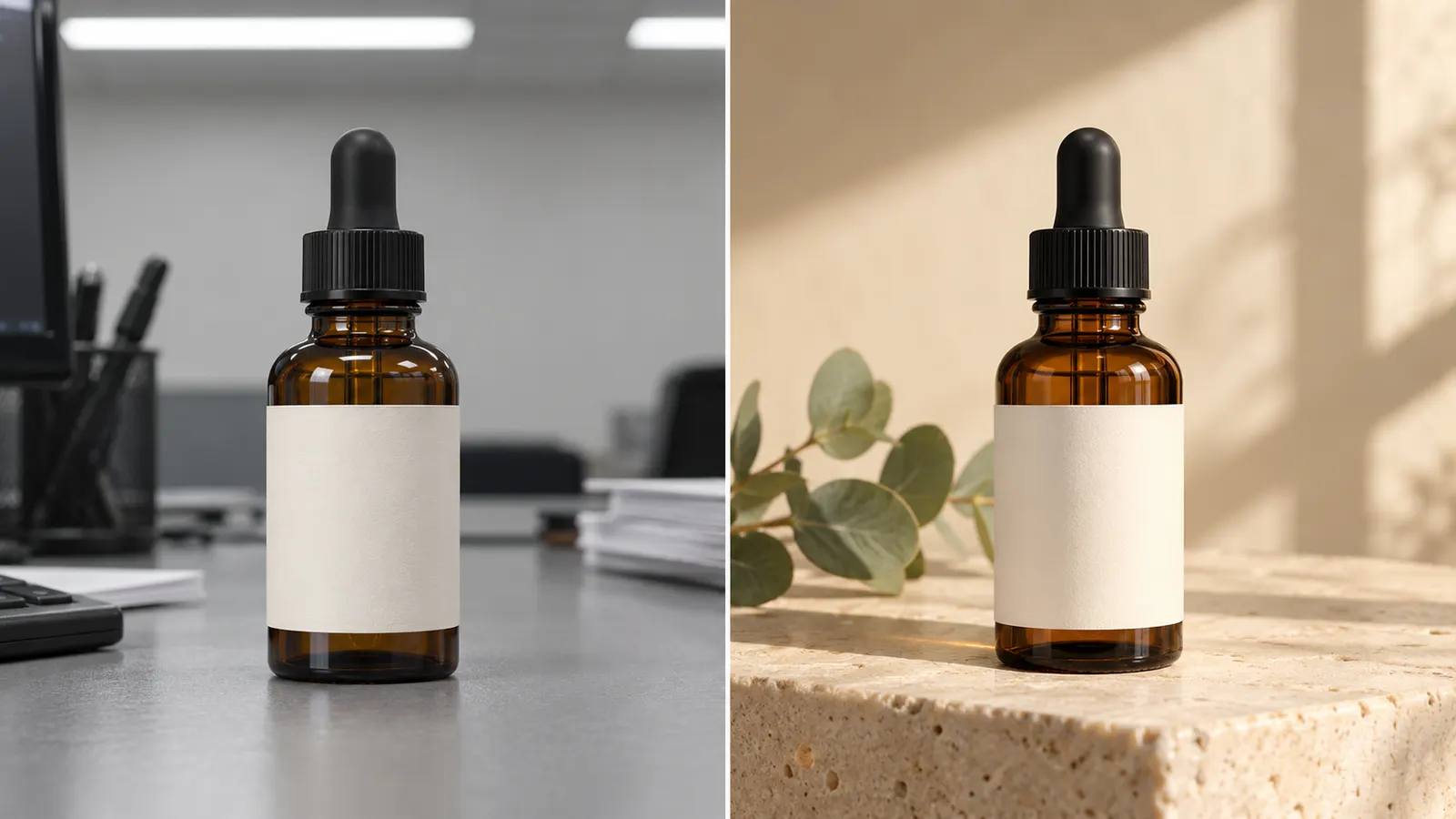
Replace the gray office background with a warm limestone surface and soft morning window light. Keep the bottle shape, cap, label position and label color exactly the same. Keep the camera angle and crop.
The "keep" half matters more than people expect. Without it, a model asked to change the background may also nudge the label, round off a cap or shift the camera. Naming the elements to preserve, such as identity, product shape, logo placement, exact text, pose and crop, sharply reduces that drift.
Typical jobs the editor handles well include swapping a background and relighting a scene, recoloring a garment while keeping the model's face and pose, restyling an interior while keeping walls and windows where they are, and refreshing a campaign poster with a new headline and layout. For simpler single-purpose jobs, the catalog also has dedicated tools: background remover, object remover, image upscaler, photo restoration and an "uncrop" image expander, which are quicker than describing those operations in a prompt.
AI Product Photography from a Single Product Image
Product photography is where these tools save the most money, and also where mistakes cost the most. A good studio shoot for a small catalog can easily run into hundreds of dollars per product once you add props, a set and retouching. Re-shooting for every season or campaign is out of reach for most independent sellers.
Banana Pro AI's AI product photography tool is built around one clean product photo. You upload it, choose or describe a scene, pick a format and resolution, then generate and compare.
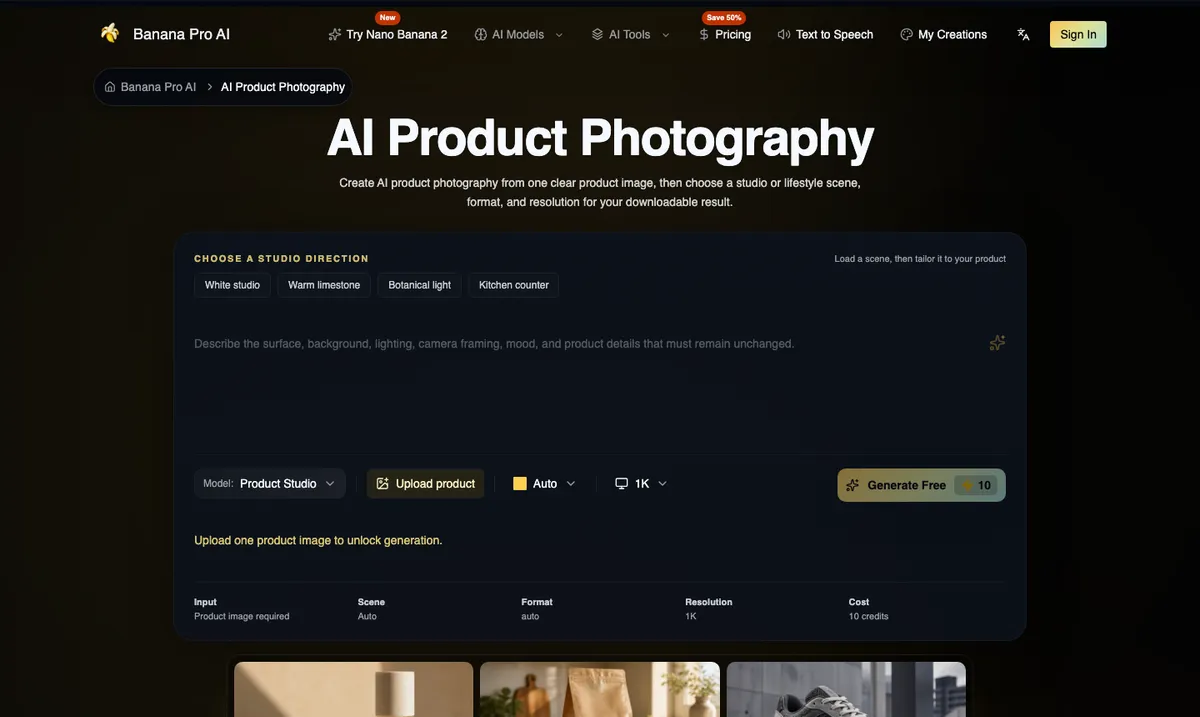
The interface offers four scene starters, White studio, Warm limestone, Botanical light and Kitchen counter, which you can load and then tailor. Underneath, the page describes four broad studio directions worth knowing even if you write your own prompt:
- Catalog studio: a plain seamless backdrop, no props. Best when buyers need to inspect the product itself.
- Editorial pedestal: a stone or brushed-metal plinth that adds premium cues without competing with the item.
- Lifestyle context: a believable room or outdoor setting that shows scale and use.
- Campaign crop: framing that leaves space for headline copy you will add later.
Format choice follows the destination. Square 1:1 suits most catalog grids and marketplace cards, portrait suits Instagram and Pinterest, and landscape suits website banners. Output comes at 1K for 10 credits, or 2K and 4K for 35 credits each.
What to upload
The quality ceiling of the output is set by the input. Use one sharp photo with the whole product visible, even exposure, nothing covering the label, and enough resolution to read printed text. A phone photo on a plain table near a window is usually fine. A dark, angled shot with a hand in the frame is not.
What to check, by category
The tool's own guidance is refreshingly blunt: labels, logos, geometry, colors, reflections and fine edges can change, and every output should be compared with the real product. In practice that means a quick category checklist:
- Beauty, jewelry and reflective goods: cap and pump geometry, clasps, glass thickness, metal edges and small printed text.
- Food, beverage and packaged goods: nutrition panels, seals, flavor names and the color of any liquid.
- Fashion, footwear and accessories: stitching, hardware, material grain and left-right orientation.
- Electronics and home goods: ports, buttons, screens, safety markings and included parts.
A useful rule of thumb is to use generated lifestyle scenes for secondary gallery images, social posts and ads, and keep a faithful studio shot as the primary listing image. Marketplaces have strict rules for main images. Amazon, for example, expects a pure white background with the product filling most of the frame and no added text or props, and it treats misleading imagery as a listing problem. A product photo that quietly changes your packaging is worse than no photo at all.
The AI YouTube Thumbnail Maker
Thumbnails are a strange design problem. They are tiny when it counts, they compete with a dozen others on the same screen, and they need to be truthful to the video or viewers leave in the first ten seconds. YouTube's own testing tools reflect that. Its Test & Compare feature lets creators upload up to three thumbnails and, as Search Engine Journal reported, picks a winner by watch time share rather than raw click-through rate. A clickbait thumbnail that attracts the wrong viewers loses.
That makes the AI YouTube thumbnail maker on Banana Pro AI interesting less as a one-shot generator and more as a way to produce several honest candidates quickly, then test them.
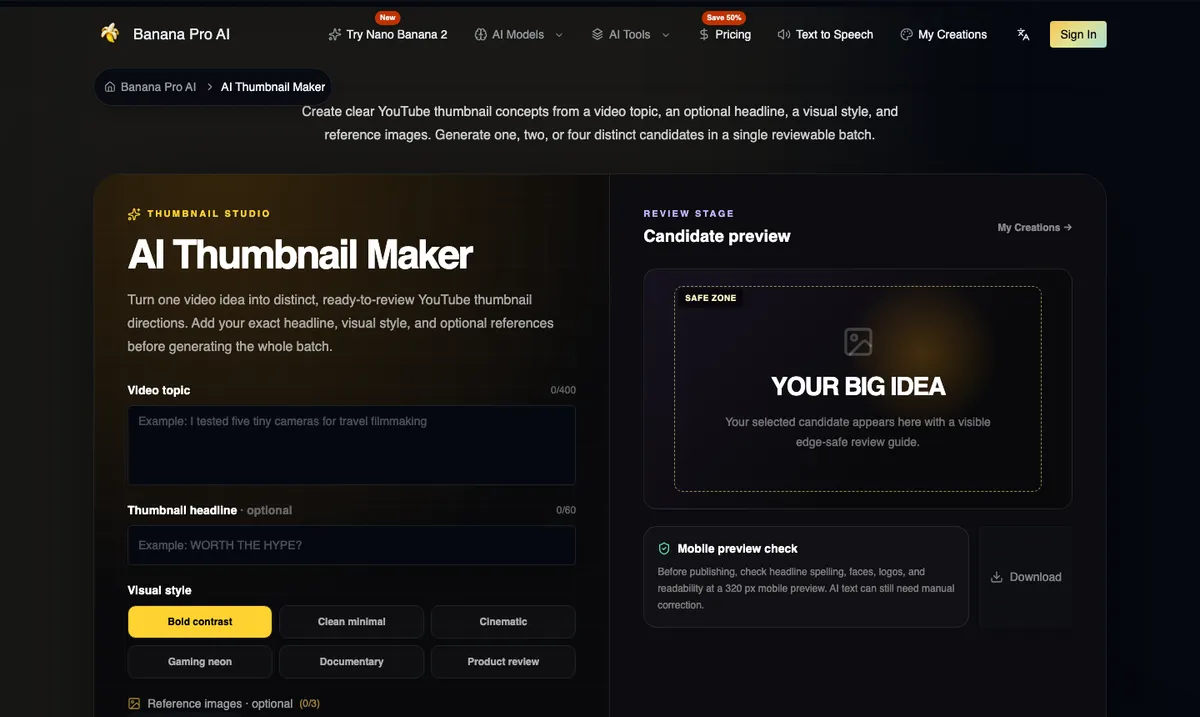
The inputs are deliberately narrow:
- Video topic, up to 400 characters. Describe the real subject and outcome of the video and the main person, product or place.
- Headline, optional, up to 60 characters. It is rendered once, in large lettering.
- Visual style: Bold contrast, Clean minimal, Cinematic, Gaming neon, Documentary or Product review.
- Reference images, optional, up to three files of 20 MB each. Use them for your face, a product or a palette, and only with permission.
- Candidate count: one, two or four distinct options in a single batch.
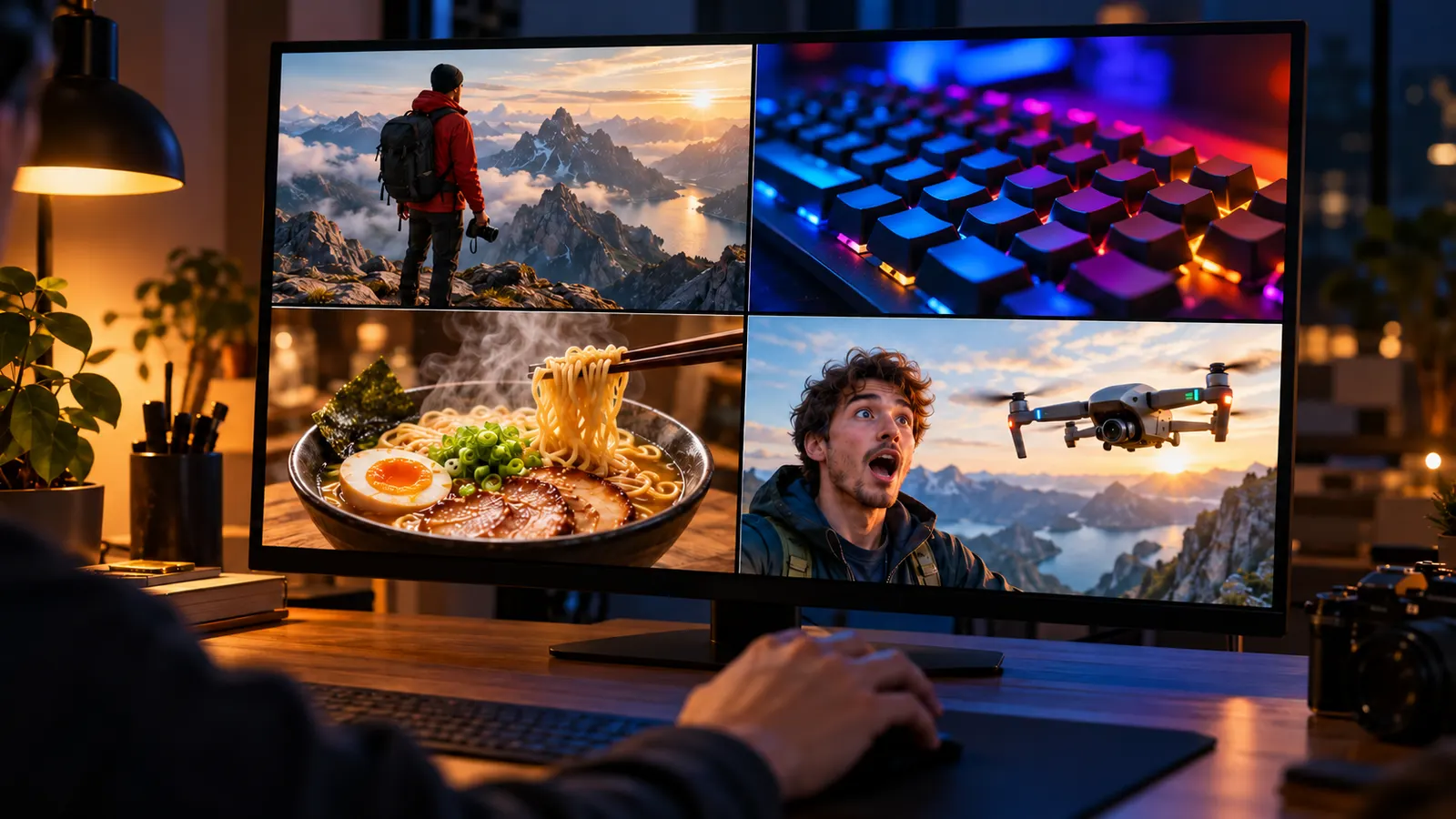
Output is a 16:9 landscape composition requested at 2K, which you can export at YouTube's standard 1280 by 720 size. A batch costs 20 credits, reserved once, with failed tasks refunded automatically.
A workflow that respects the viewer
The review stage is the part most AI thumbnail tools skip. Banana Pro AI shows each candidate with an edge-safe guide and a 320-pixel mobile preview, which is close to the size most people actually see. Use it:
- Write the real promise of the video. "I tested five tiny cameras for travel filmmaking" gives the model a clear subject and a sense of stakes. "Epic camera video" does not.
- Keep the headline short. Three or four words scan at thumbnail size. If the video title already says it, the thumbnail headline can add tension instead of repeating it.
- Generate four candidates in one style first, then a second batch in a contrasting style if none feel right.
- Check at 320 pixels. Faces should be readable, the main object should be obvious, and the headline should survive. Remember that YouTube overlays the duration in the bottom-right corner.
- Fix text outside the tool. If a letter is malformed, use the image as a background and set the headline yourself.
- Upload two or three finalists to Test & Compare, and let real viewers decide.
The tool's FAQ makes the honest point that no thumbnail generator can guarantee a higher click-through rate. Topic demand, title fit and the video itself matter more. What AI changes is the cost of trying: four genuinely different directions in under a minute, instead of an afternoon in a design app.
The Consistent Character AI Generator
Character consistency is the problem that kept image generators out of serious storytelling for years. You could get one great image of a character, but the next prompt would change their face, their hair or the cut of their jacket. For comics, children's books, game pitches and brand mascots, that drift is fatal.
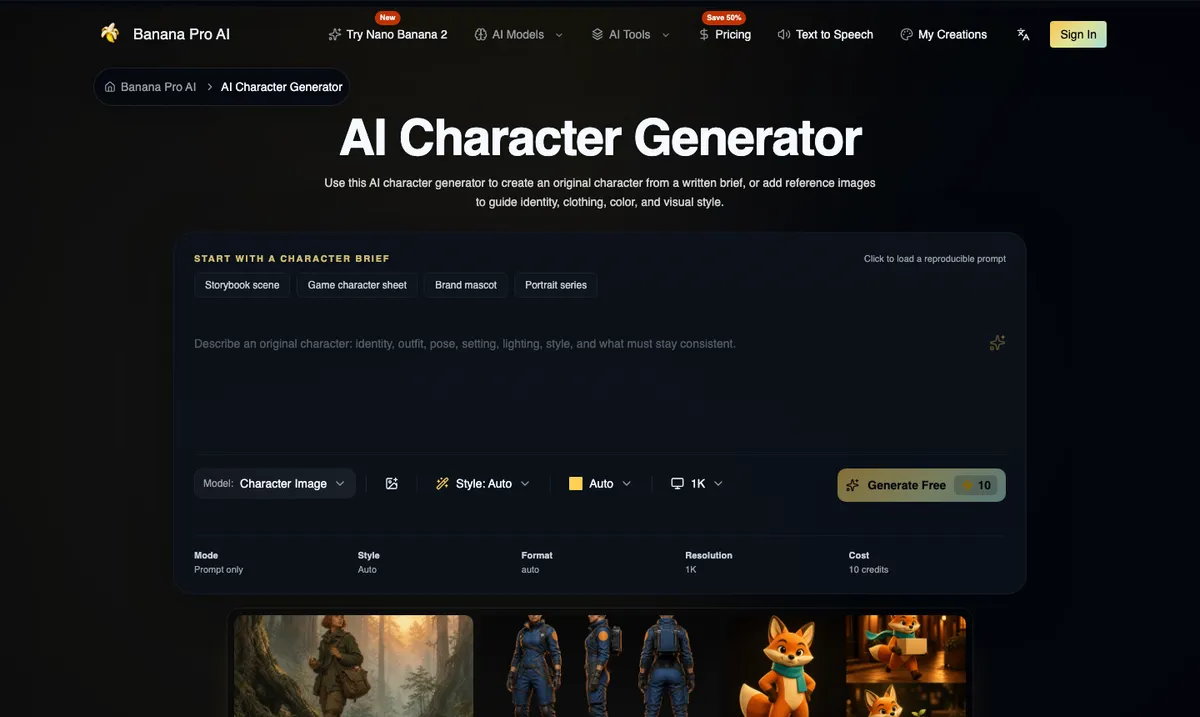
The consistent character AI generator on Banana Pro AI approaches the problem with structure rather than magic. You write a character brief, optionally add reference images, choose a style, aspect ratio and resolution, and generate. Starter briefs include a storybook scene, a game character sheet, a brand mascot and a portrait series.
The identity block
The single most effective habit is to write an identity block once and paste it unchanged into every prompt in a series. It should cover:
- Age range, build and proportions.
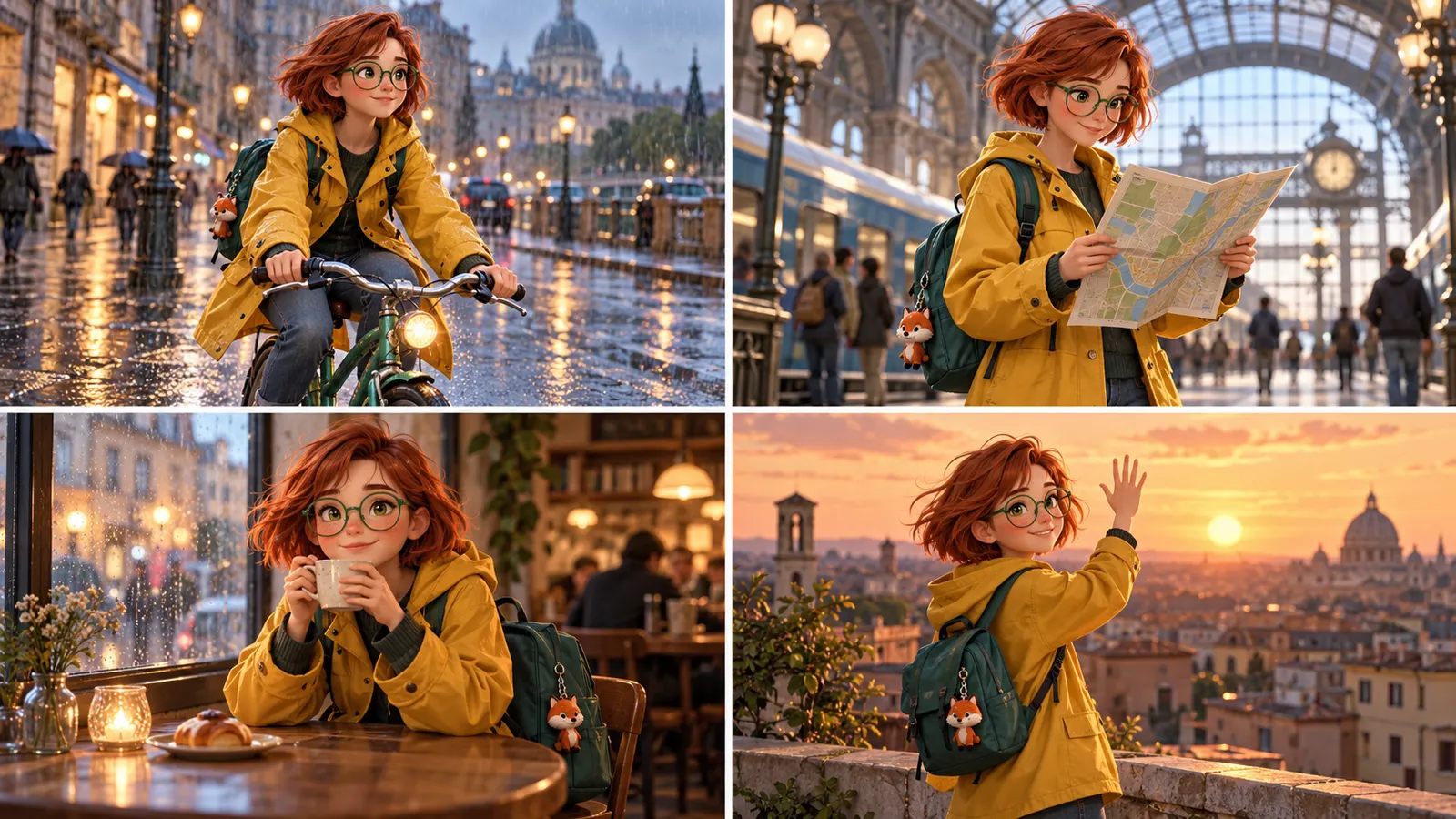
- Face and hair, with specific details such as "short copper bob, round green glasses."
- Signature clothing and colors, such as "mustard yellow raincoat, teal backpack with a fox keychain."
- A prop or two the character always carries.
- Personality cues that affect pose and expression.
Then change only one variable per generation: the action, the camera, the environment or the mood. If you change the outfit and the location and the art style at once, the model has too much freedom and the character drifts.
Using references well
The character tool accepts up to 16 reference images in JPG, PNG or WebP. More is not better. A small, coherent set works best: one clear, evenly lit front view of the character, perhaps a side view, and one image for the costume or palette. In the prompt, say what each reference is for: "Image 1 is the character's face and hair. Image 2 is the raincoat and backpack."
A practical loop for a series:
- Generate the first image from the identity block alone until one result looks right.
- Use that approved image as the primary reference for the next scene.
- Keep the identity block and the reference order the same.
- After each new scene, inspect hands, costume details and unwanted text, and keep the best output as a new reference if it is closer to the target.
The page is honest about limits. References reduce drift but do not guarantee an identical character across every angle and outfit, and a multi-view sheet is an interpretation, not a rigged 3D model. For a picture book or pitch deck that is usually fine. For a long-running brand mascot, plan on a human illustrator doing a final consistency pass on the hero images.
The same page also stresses rights. Do not upload celebrities, private individuals, client assets or other companies' characters without permission. Building an original character is both the safer and the more valuable path, because you own what you invent.
What It Costs
Banana Pro AI uses credits across all tools. At the time of writing, the common costs are:
| Task | Cost |
|---|---|
| Image editor, product photography or character image at 1K | 10 credits |
| The same tools at 2K or 4K | 35 credits |
| AI thumbnail maker, per batch of up to four candidates | 20 credits |
Plans come in weekly, monthly, annual and one-time options. During the current promotion the annual plans list at roughly $4.90, $9.90 and $19.90 per month for the Basic, Professional and Enterprise tiers, with larger tiers bringing the price per credit down sharply. Promotions change, so check the Banana Pro AI pricing page for current numbers before you commit. A sensible approach is to use the free starting credits on the one tool you care about most, run a 1K test, and only move to 2K or 4K once the composition is right. That keeps the expensive renders for images you will actually publish.
Who Gets the Most Out of It
Small e-commerce brands get the clearest return. One good product photo can become a white studio shot, a lifestyle scene and a campaign banner in an afternoon, which covers most of a product page and a month of social posts.
YouTubers and podcasters benefit from the thumbnail maker's batch-and-review flow, especially channels that publish weekly and cannot afford a designer for every video.
Writers, indie game developers and agencies get the most from the consistent character AI generator, because it turns a written description into a visual reference that a team can align on before anyone spends money on final art.
Everyone else will likely use the AI photo editor online for one-off fixes: a better background for a profile picture, a restored family photo, an upscaled image for printing.
Limits Worth Knowing
No tool review is complete without the caveats, and Banana Pro AI's own pages are refreshingly upfront about most of them.
- Fidelity is not guaranteed. Labels, logos, small text and fine geometry can change in any generative edit. Always compare against the original before publishing.
- Edits are whole-image. The editor has no masks or layers. Precise local retouching still belongs in a traditional editor or the separate Generative Fill tool.
- Generated text is a draft. It is much better than it used to be, but proofread every letter.
- Commercial rights depend on inputs. A paid plan licenses the output, but it does not grant you rights in someone else's face, logo or product photography.
- Label AI content where platforms require it. Several marketplaces and social platforms now ask for disclosure of realistic AI-generated or AI-altered imagery, and some models embed invisible watermarks such as Google's SynthID.
Final Thoughts
The interesting thing about the current generation of image tools is not that they can make a beautiful picture from a sentence. It is that they can now take something you already have, a product, a video idea, a character you invented, and produce the specific asset you need around it, quickly enough that testing several options is the default rather than a luxury.
Banana Pro AI packages that idea into focused tools. The AI image generator from text covers blank-page work, the editor handles prompt-led changes to real photos, AI product photography turns one clean shot into a set of scenes, the AI YouTube thumbnail maker produces reviewable candidates at mobile size, and the consistent character AI generator gives storytellers a repeatable process for keeping a character on model. Each tool still needs a human eye at the end, and the best results come from treating the AI as a fast first draft rather than a final answer.
If you want to see whether it fits your workflow, start on the Banana Pro AI homepage with one real task: one product photo, one upcoming video, or one character you have been meaning to draw. Render a 1K test, check the details that matter, and only then spend credits on the high-resolution version you will publish.